
Signocore Toolkit collects the site essentials that are usually spread over several plugins: a cookie banner with Google Consent Mode v2, login protection, security headers, a maintenance page, performance settings, WooCommerce tweaks and tools for developers. The plugin is free. There is no Pro version and no license key, so everything in this documentation is part of the plugin you download.
Modules
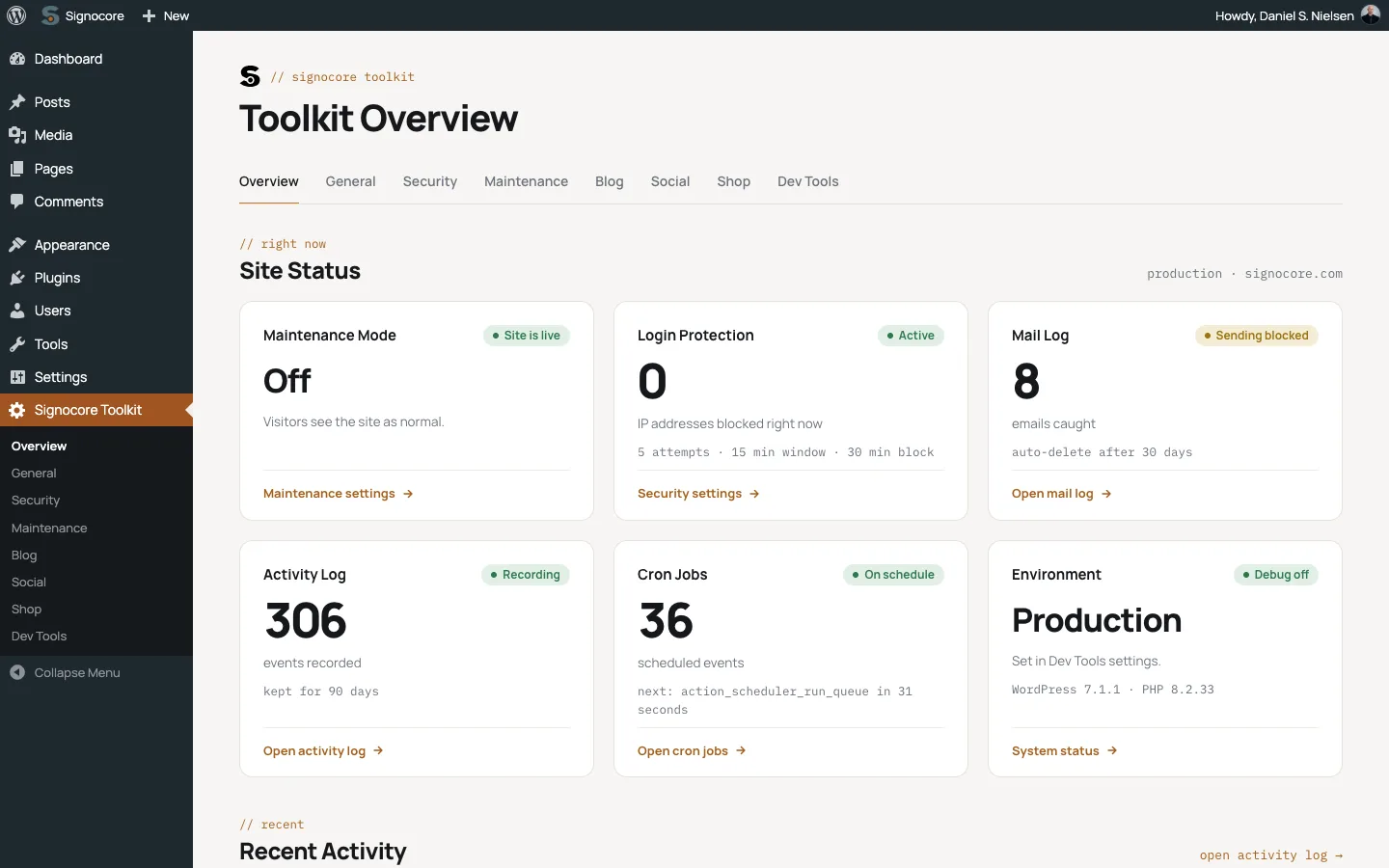
All settings live under Signocore Toolkit in the admin menu, with one tab per area. The Overview tab shows the state of the site at a glance. "Always on" means the module has no setting.
| Module | What it does | Default | Where to set it |
|---|---|---|---|
| Cookie consent | Consent banner with Necessary, Analytics and Marketing categories, a preferences window and Google Consent Mode v2 signals | On | General |
| Performance | Keeps 10 revisions per post, removes the embed script, loads jQuery in the footer without jQuery Migrate, and can set how often the admin heartbeat runs | On | General |
| Login screen | Styles the login screen with the Signocore design, with your logo and theme colors, or leaves it as WordPress made it | Signocore | General |
| Login protection | Blocks an IP address for 30 minutes after 5 failed logins within 15 minutes | On | Security |
| Hidden login page | Moves the login page to an address you choose | Off | Security |
| XML-RPC hardening | Turns off XML-RPC logins and removes the RSD link. Pingbacks are always refused | On | Security |
| RSS feed removal | Redirects feed addresses to the home page | Off | Security |
| REST API media restriction | Limits the media endpoint to users who can edit posts | On | Security (the setting appears when WooCommerce is active) |
| SVG uploads | Lets editors and administrators upload SVG files, cleaned of scripts on upload | On | Security |
| Automatic updates | Your own rules for core, plugin, theme and translation updates | Off (WordPress decides) | Security |
| Security headers | Content-Security-Policy, Strict-Transport-Security and Referrer-Policy on frontend pages | Always on | No setting |
| Cleanup | Removes the emoji scripts, oEmbed discovery and the frontend heartbeat, and shows one generic message for failed logins | Always on | No setting |
| Maintenance and coming soon | Shows visitors a maintenance page (HTTP 503) or a coming soon page hidden from search engines | Off | Maintenance and the admin bar |
| Default featured image | Sets a fallback image on blog posts that are saved without one | Off until you choose an image | Blog |
| Related content | Related FAQs, glossary terms and articles, when Signocore FAQ or Signocore Glossary is active | On | Blog and Shop |
| Social sharing | Share buttons on the post types you choose, on Kadence and Signocore Slate themes and on WooCommerce products | On for posts | Social |
| WooCommerce tweaks | Payment logos, a safe checkout badge, shop sorting and result count options, and shipping and product page tweaks | On | Shop (appears when WooCommerce is active) |
| Mail log | Records every email the site sends and can hold emails back outside production | Records all emails | Dev Tools |
| Activity log | Records logins, user, plugin, theme and content changes and important settings changes | On | Dev Tools |
| Developer tools | Environment label, user switching, transient and cron viewers, system status, plugin and theme downloads, and Optimize WP in the admin bar | Always on for administrators | Dev Tools |
| Shortcodes | Company details from Signocore SEO, social links and payment logos | Always available | In your content |
Some modules change your site the moment you activate the plugin. Installation lists them, so you know what to check first.
Where to start
- Installation: install the plugin and see what is on from the start.
- Cookie consent and Consent Mode: the banner is on by default. Adjust its text and position, and connect your analytics tags to it.
- Login protection: add your own IP address to the trusted list, and decide whether to hide the login page.
- Security hardening: check that the default security headers do not block anything your site needs.
- Maintenance and coming soon: for when you work on the site or before launch.
Then continue with Performance and media, WooCommerce tweaks and Developer tools. For reference, see Shortcodes, Hooks and JavaScript events and Troubleshooting.
Requirements
Signocore Toolkit runs on the WordPress and PHP versions listed on the platform support page. SVG uploads also need the PHP dom extension: without it, the plugin rejects SVG files instead of letting them through unchecked.