Headless WordPress gets pitched as the future of web development. Decouple your front-end, unleash performance, publish everywhere. The conference talks make it sound like the only serious architectural choice left for anyone who cares about speed and developer experience.
Most of those projects will cost twice as much, take three times as long, and deliver a content editing experience that your clients will quietly resent forever. That's not a reason to dismiss headless architecture - it's a reason to be honest about what it actually involves before you commit a production site to it.
What Headless WordPress Actually Means
In a traditional WordPress setup, the CMS handles everything: content storage, business logic, templating, and HTML rendering. The front-end and back-end are tightly coupled - WordPress generates the page, the browser displays it.
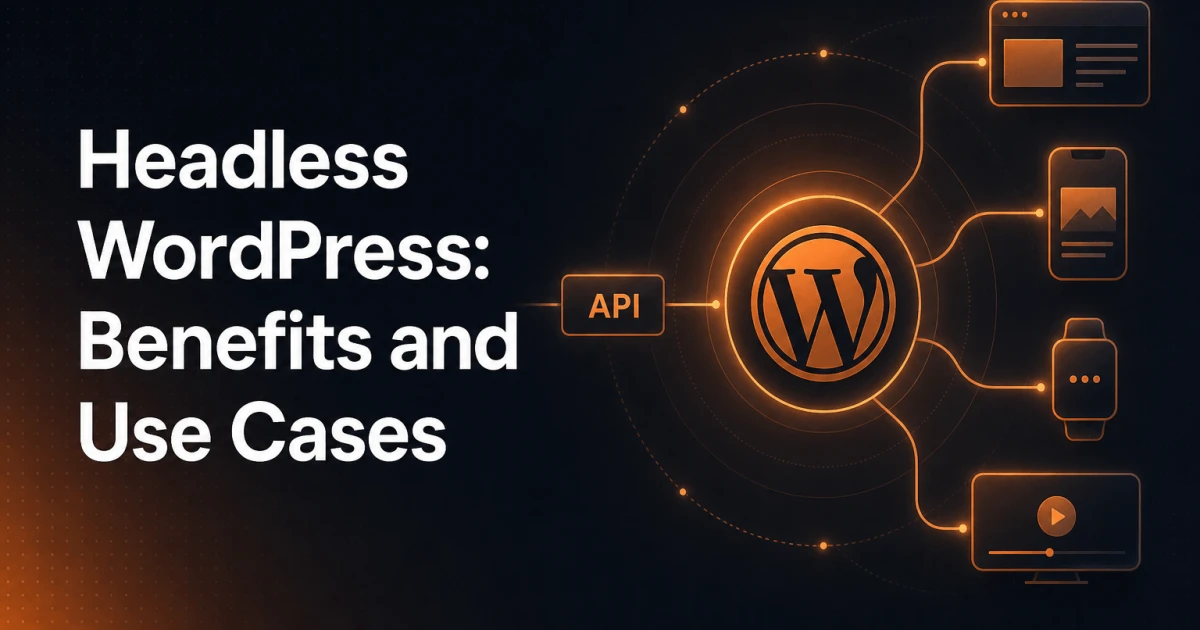
Headless architecture cuts that connection. WordPress becomes a content API - it stores and manages content, exposes it via an endpoint, and stops caring about how it gets rendered. A separate front-end application - typically built with Next.js, Nuxt, Astro, SvelteKit, or similar - consumes that data and handles all presentation logic independently.
The "head" WordPress loses is its front-end rendering layer. What remains is a headless CMS: a structured content store with an editorial interface, accessible over HTTP.
The Two API Approaches
WordPress ships with a REST API out of the box. It covers posts, pages, custom post types, taxonomies, users, and media. For many headless setups, it's sufficient - especially when your data model stays close to WordPress defaults.
The alternative is WPGraphQL, a widely adopted plugin that exposes WordPress data through a GraphQL schema. GraphQL lets your front-end request exactly the fields it needs in a single query, which reduces over-fetching and simplifies complex relational data - think posts with their categories, author metadata, and featured image all in one request. For data-heavy applications, WPGraphQL is typically the cleaner choice.
The Genuine Advantages
Headless WordPress has real strengths. The issue isn't that proponents are lying - it's that they're describing a specific context as if it were universal.
Performance ceiling. A statically generated or server-side rendered front-end built with a modern framework can hit Core Web Vitals scores that a traditional WordPress theme simply cannot match. No PHP execution per request, no WordPress bootstrap on the critical path, assets served from a CDN edge node - the theoretical ceiling is genuinely higher.
Developer freedom. Front-end developers can work in their preferred stack without touching PHP or wrestling with WordPress's template hierarchy. Component-based architecture, TypeScript, modern CSS tooling, and a proper build pipeline become first-class concerns rather than workarounds bolted onto a theme.
Multi-channel publishing. When the same content needs to power a website, a mobile app, a digital display, and a third-party integration simultaneously, a headless content API is the architecturally correct answer. WordPress manages the content once; every consumer fetches what it needs.
Independent deployments. Front-end and back-end can be versioned, tested, and deployed separately. A content model change doesn't necessarily require a front-end release, and a front-end redesign doesn't touch the CMS.
The Real Costs Most Articles Skip Over
This is where the conference talk ends and the production reality begins.
The plugin ecosystem largely doesn't carry over. WordPress has an enormous plugin library, but the vast majority of those plugins work by hooking into WordPress's rendering pipeline - filters, shortcodes, template parts, widget areas. In a headless setup, that pipeline doesn't run on the front-end. Contact form plugins, page builders, popup tools, A/B testing layers, chat widgets, cookie consent managers - most of them need to be replicated in your front-end stack, replaced with SaaS alternatives, or rebuilt from scratch. The plugins you're paying for, the ones your client's team already knows, become largely irrelevant.
SEO requires deliberate manual work. Traditional WordPress SEO plugins like Yoast or Rank Math output meta tags, structured data, and Open Graph markup directly into the server-rendered HTML. In a headless setup, your front-end framework is responsible for all of that. You need to fetch SEO metadata from the WordPress API, inject it into your document head correctly, handle canonical URLs, manage XML sitemaps, and ensure structured data renders in a way search engines can reliably access. None of this is impossible - but it's all additional engineering work that a coupled setup handles automatically. Running a thorough audit with a tool like the SEO Analyzer before and after migration will surface gaps that are easy to miss during development.
Content preview is genuinely hard. In traditional WordPress, editors hit "Preview" and see the page. In a headless setup, the preview request needs to hit your front-end application with a draft post token, authenticate, fetch unpublished content from the API, and render it correctly - all in a way that feels instant to a non-technical editor. Frameworks like Next.js have preview mode and draft mode features that help, but wiring them up correctly with WordPress's preview system is a non-trivial integration task. Many headless projects ship with broken or clunky preview workflows, and editorial teams notice.
The talent pool is smaller and more expensive. Finding a developer who is proficient in both WordPress (PHP, custom post types, ACF, the REST API) and a modern JavaScript framework (Next.js, TypeScript, React) is harder than finding either specialist individually. You're not just building a WordPress site or just building a React app - you're maintaining two distinct technical stacks with two different deployment pipelines.
Hosting and infrastructure complexity increases. A coupled WordPress site runs on a single server or managed WordPress host. A headless setup typically involves a WordPress instance (often managed separately), a front-end deployment platform (Vercel, Netlify, Cloudflare Pages), and potentially a CDN layer, a caching strategy for API responses, and incremental static regeneration logic. Each layer adds operational overhead.
When Headless WordPress Makes Sense
With the full picture visible, the genuine use cases become clearer:
Large editorial teams with multi-channel publishing needs. A media company publishing to web, app, newsletter, and partner APIs from a single content store benefits directly from the headless model. WordPress's editorial interface is mature and familiar; the API layer handles distribution.
Complex custom front-ends where WordPress themes would be a constraint. Highly interactive applications, data-driven visualisations, or front-ends with sophisticated state management are genuinely better served by a purpose-built JavaScript application than by a PHP theme.
Organisations with separate front-end and back-end teams. When the editorial team owns WordPress and the engineering team owns the front-end, decoupling removes the architectural friction between them.
Projects where content feeds multiple platforms simultaneously. If the same structured content needs to power three or more distinct consumers, headless isn't just convenient - it's the correct model.
When It Doesn't
The uncomfortable truth is that the majority of WordPress projects don't meet any of those criteria.
A marketing site for a SaaS company, a small agency's client portfolio, a WooCommerce store, a blog, a professional services website - these projects gain little from headless architecture and pay all of the costs. The performance limitations of traditional WordPress are largely solvable with proper caching, a good host, and disciplined plugin selection. The developer experience constraints are real but manageable. The plugin ecosystem - particularly for SEO, forms, and analytics - works exactly as intended.
Solo developers and small agencies face a particularly poor trade-off. The overhead of maintaining two stacks, handling preview workflows, and rebuilding plugin functionality in the front-end consumes time that doesn't translate into client value. When a project hits a problem six months post-launch, the person who needs to fix it must understand both the WordPress API layer and the front-end framework deeply - that's a significant bus-factor risk on small teams.
Alternatives Worth Considering First
Before committing to headless, two middle-ground approaches are worth evaluating seriously.
Optimised traditional WordPress. A well-configured WordPress installation on a quality host, with full-page caching (Redis or a page cache plugin), a CDN, properly optimised images, and a lean theme can score well on Core Web Vitals without architectural complexity. The bottleneck on most slow WordPress sites is not the architecture - it's unoptimised images, bloated plugins, and no caching strategy.
Block-based development with Full Site Editing. WordPress's block editor and Full Site Editing provide a component-based development model within the traditional architecture. Custom blocks built with React give front-end developers a modern development experience while preserving the plugin ecosystem, preview functionality, and the hosting simplicity of a coupled setup.
A purpose-built headless CMS. If you've genuinely outgrown WordPress as a content model and the only thing keeping you on it is editorial familiarity, platforms built specifically for headless use - Contentful, Sanity, Payload - are architecturally cleaner than WordPress in headless mode. WordPress was designed as a coupled CMS; those platforms were designed from the start as content APIs.
The Honest Verdict
Headless WordPress is the right answer for a narrow set of genuinely complex publishing problems. For those projects - high-traffic editorial platforms, multi-channel content operations, applications with front-end requirements that exceed what PHP templates can reasonably deliver - the architectural trade-offs are worth making.
For the other 80% of WordPress projects, headless is an expensive architectural choice that adds infrastructure complexity, breaks the plugin ecosystem, complicates SEO implementation, and creates editorial friction - in exchange for performance gains you could achieve more cheaply and a developer experience improvement that doesn't justify the cost. The right question isn't "should we go headless?" It's "what specific constraint are we solving, and is headless the most efficient way to solve it?" Most of the time, it isn't.
Build for the problem in front of you, not the architecture that makes for the best conference talk.