
Signocore FAQ gives your questions and answers a home in WordPress. Every question gets its own page, an FAQ page lists them all by category, and blocks, a shortcode and a widget show them anywhere else on your site.
Install the plugin
- Download the zip file from https://download.signocore.com/signocore-faq.
- In WordPress, go to Plugins → Add New Plugin and click Upload Plugin.
- Choose the zip file and click Install Now.
- Click Activate Plugin.
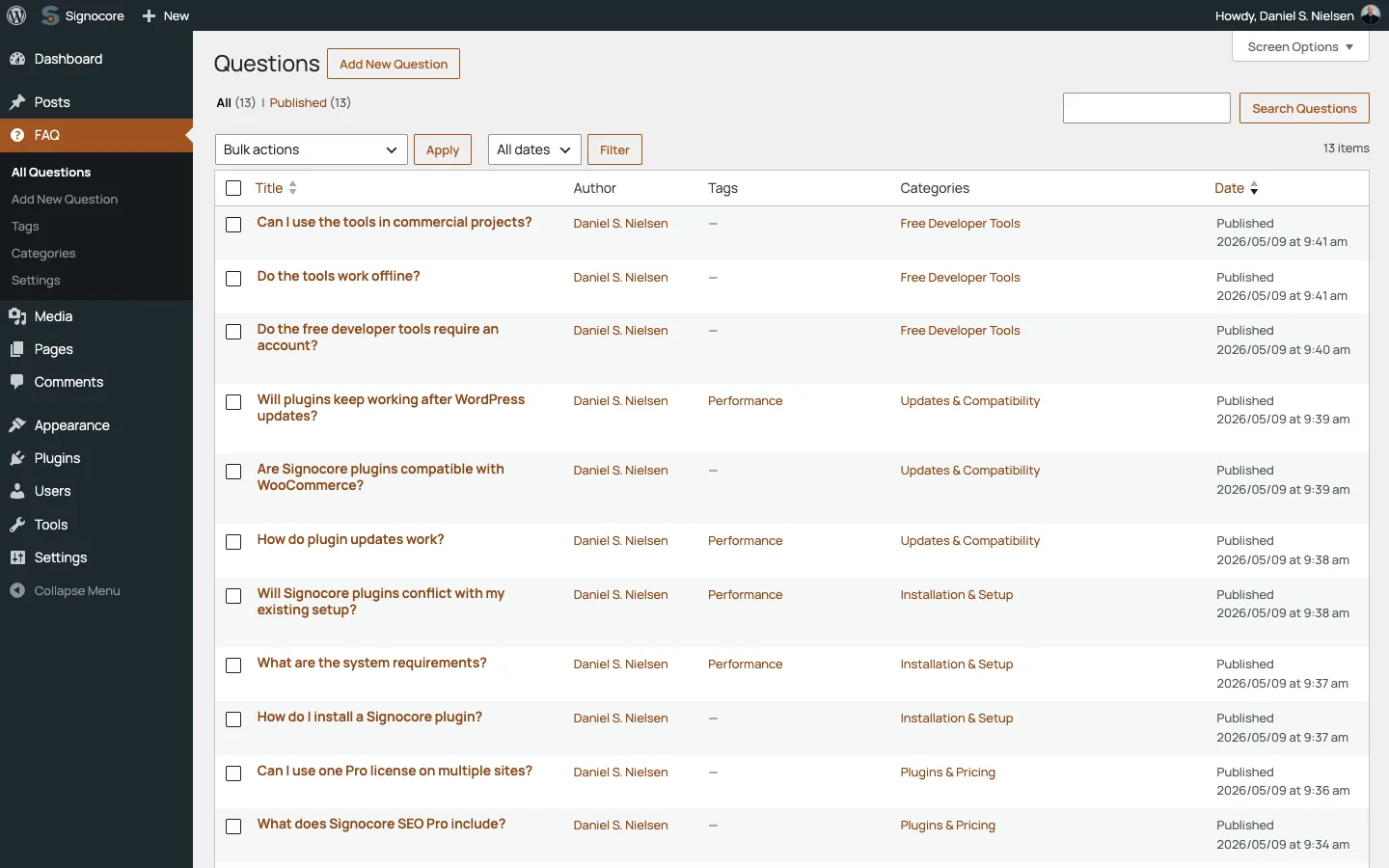
An FAQ menu appears in the admin sidebar, with All Questions, Add New Question, Tags, Categories and Settings. Signocore FAQ runs on the WordPress and PHP versions listed on the platform support page.
Add questions
- Go to FAQ → Add New Question.
- Enter the question as the title.
- Write the answer in the editor.
- Choose a category in the Categories panel, and add tags if you want the question to show up as a related question. Both are explained below.
- Click Publish.
Each question has its own page with the question as the title and the answer as the content.
Set up the FAQ page
The FAQ page is an ordinary page that you choose. Whatever you write on it stays at the top, and the questions are added below.
- Go to Pages → Add Page, give the page a title such as "FAQ", write an introduction if you like and publish it.
- Go to FAQ → Settings.
- In the FAQ Page card, choose the page under Page.
- Pick a Layout and, for the list, the number of Columns.
- Click Save Changes.
The page gets the label "FAQ Page" in your list of pages, and its slug becomes the start of every question address. With the FAQ page at example.com/support/, questions live under example.com/support/. Until you choose a page, the addresses start with /faq/.
| Setting | Default | What it does |
|---|---|---|
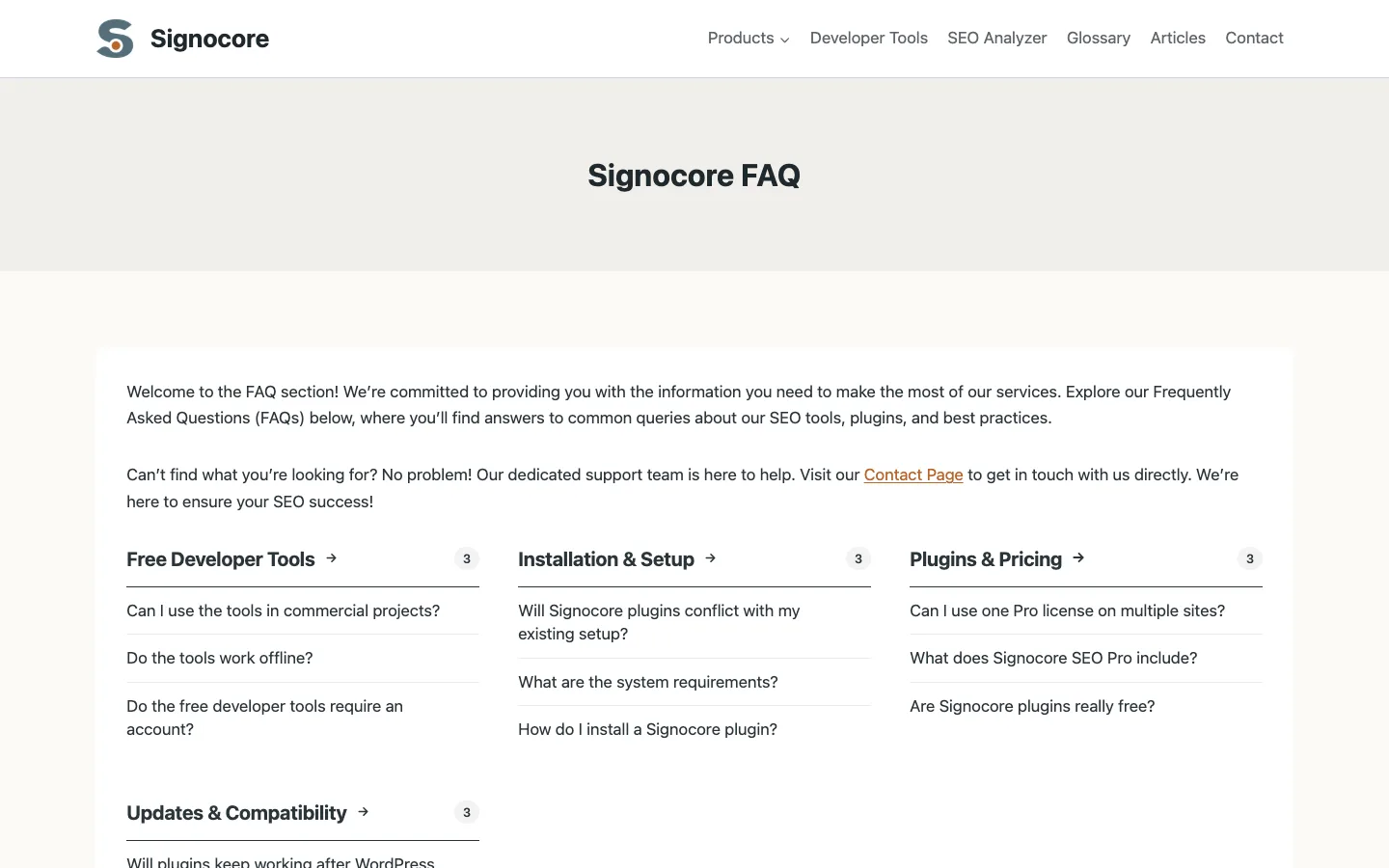
| Layout | List of links | List of links shows each category as a heading with the number of questions and the questions as links to their pages. Accordion shows the answers on the FAQ page itself: visitors click a question to open its answer. |
| Columns | 3 | From 1 to 6. The most columns of categories in the list. Narrow screens show fewer. The accordion ignores this setting. |
In both layouts, questions without a category come first, followed by one group per category with questions, in alphabetical order. Within a group, the newest questions come first. The accordion leaves out questions without an answer, and both layouts leave out questions protected by a password.
Signocore FAQ keeps a stored copy of the list, which is rebuilt when you save a question, change a category or save the settings.
Categories and addresses
Categories are managed under FAQ → Categories and work like post categories: a question can have several, and categories can have parents.
Category Navigation in the Navigation card decides how categories shape your addresses. It is on by default.
| Category navigation on | Category navigation off | |
|---|---|---|
| Question address | example.com/faq/billing/change-plan/ |
example.com/faq/change-plan/ |
| Category page | example.com/faq/billing/ |
example.com/faq_cat/billing/ |
| Category headings on the FAQ page | Link to the category page | Plain text |
Here faq is the slug of the FAQ page and billing a category slug. A question in several categories uses the first of them in alphabetical order. Switching the setting changes the address of every question and category, so choose before you share links. When you rename the FAQ page's slug later, go to Settings → Permalinks and click Save Changes, so the new addresses work.
Important: With category navigation on, the category is part of the question's address, so give every question its category before you publish it. A question without any category, such as an imported one, uses the default category's slug in its address.
A category page is a normal taxonomy archive that your theme displays. As the Navigation card says, create a template in your theme for the faq_cat taxonomy if its standard archive layout does not suit your FAQ.
The default category
While category navigation is on, Signocore FAQ makes sure there is a default category. It creates one called "Uncategorized" when none is set, and you can choose another under Settings → Writing in Default FAQ Category. A question you save without a category, in the block editor or the classic editor, is placed in the default category. The card footer on the settings screen links there.
The default category cannot be deleted while category navigation is on. Its Delete links are removed, and any other attempt stops with the message "You cannot delete the default FAQ category." Other categories can be deleted as usual.
Related questions and glossary terms
Tags connect questions with each other and with the rest of your site. FAQ tags are the same tags your posts use, so one tag can link a post, its questions and glossary terms. The Related Content card has these settings:
| Setting | What it shows | Default |
|---|---|---|
| Related Questions | On each question page, "Questions related to" and the question, listing up to 10 other questions that share a tag with it. | On |
| Blog Posts | Below each blog post, up to 10 questions that share a tag with the post. | Off |
| Tag Archives | On the first page of a tag archive that has no posts, up to 10 questions with that tag. | On |
| Related Terms | On each question page, up to 10 glossary terms that share a tag with the question, the most viewed first, followed by terms that have not been viewed yet. Shown when Signocore Glossary is active. | On |
| Product FAQ | An FAQ tab on WooCommerce products. Shown when WooCommerce is active. See Show FAQs on your site. | On |
On themes built on Genesis, Kadence or Signocore Slate, the lists on question pages and below posts go into the theme's area after the content. On other themes they are added to the end of the content. The tag archive list appears on block themes, Kadence and Signocore Slate.
If you used the related questions in Signocore Toolkit before, Blog Posts starts from your Toolkit choice until you save the FAQ settings. An older Toolkit version that prints related questions itself keeps doing so, and Signocore FAQ then leaves them out, so nothing shows twice.
With Signocore SEO, question pages and category pages get a breadcrumb trail through the FAQ page and, with category navigation on, the category.
Styling
Default Styling in the Styling card is on by default. It loads the plugin's stylesheet for the FAQ page, the blocks, the related questions and the widget. The styles take the fonts and colors from your theme, so they fit light and dark designs. Turn the setting off to style everything in your theme. Developers can set one accent color for links and hover states, see Show FAQs on your site.
Structured data
Signocore FAQ prints no structured data itself. Signocore SEO reads your questions: it marks up each question page as an FAQPage with the question and its answer, and adds FAQPage markup to other posts and pages for the FAQ Element blocks they contain. This needs a Signocore SEO Pro license. See Structured data in the Signocore SEO documentation.
Where to go next
Show FAQs on your site explains the FAQ Element and FAQ List blocks, the shortcode, the widget, links to single answers and product FAQs.