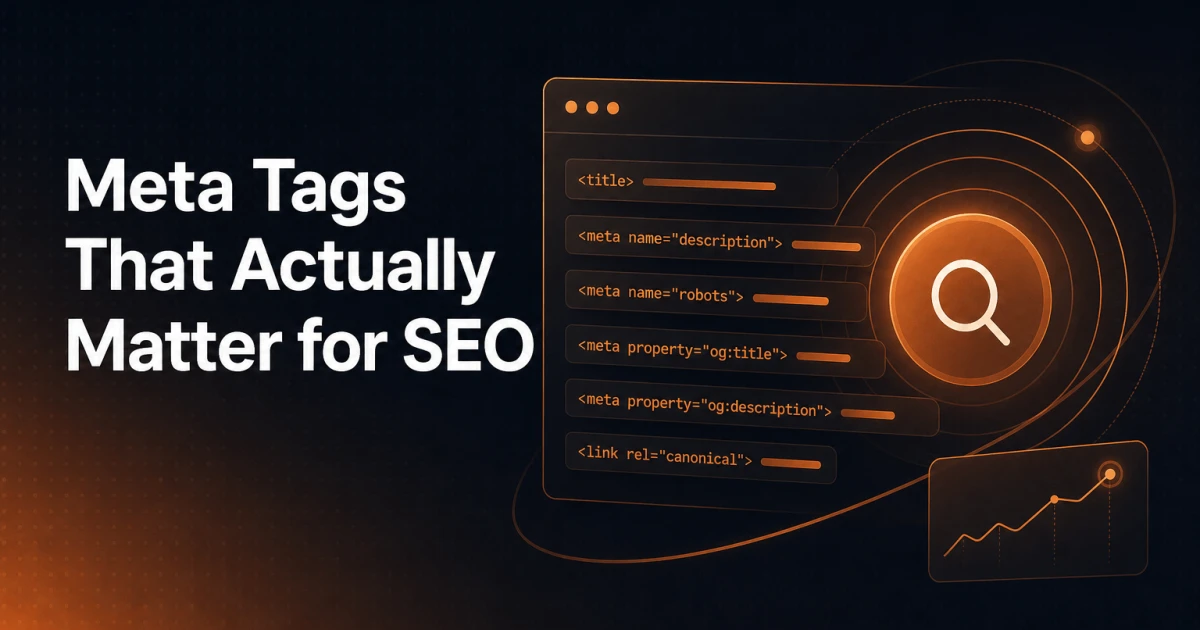
Most WordPress sites have dozens of meta tags in their <head>. A handful of them do real work. The rest are either decorative, legacy artifacts, or actively wasting your attention. Knowing which is which is one of the more underrated skills in technical SEO - not because the tags themselves are complex, but because the misinformation around them is unusually persistent.
This article draws a hard line between the meta tags that affect how search engines crawl, index, and rank your pages, those that influence traffic indirectly through social sharing, and those that have been functionally dead for over a decade. The verdict on each is clear.
Meta Tags That Directly Impact SEO
These are the tags worth spending time on. Each one has a documented, meaningful effect on how search engines process your pages.
The Title Tag
Technically not a meta tag - it lives in its own <title> element - but it belongs in this conversation because it is the single most influential on-page signal you control. Google uses the title tag as the primary source for the blue link text in search results, and it carries significant weight as a relevance signal for the target keyword.
Keep titles between 50 and 60 characters. Front-load the primary keyword. Avoid keyword stuffing - Google will rewrite titles it considers manipulative or misleading, and that rewrite rarely serves you well. Each page on your site must have a unique title. Duplicate titles are one of the most common and most damaging technical SEO errors on WordPress sites with large post counts.
Meta Description
The meta description does not directly influence rankings. Google confirmed this years ago. What it does influence is click-through rate, which indirectly affects traffic volume and can influence how Google perceives the relevance of your page over time.
A well-written meta description acts as ad copy for your search result. It should summarize the page's value, include the target keyword naturally (Google bolds matching terms in snippets), and stay under 160 characters. Missing descriptions cause Google to auto-generate snippets from page content - sometimes acceptably, often not. Writing them yourself is worth the effort.
Meta Robots
The meta robots tag tells search engine crawlers what they are permitted to do with a page. The most consequential directives are:
noindex - Instructs crawlers not to include the page in search results. Use this deliberately on thank-you pages, admin-facing pages, or thin content you do not want indexed. The danger is leaving it on by accident - a WordPress staging environment migrated to production with
noindexstill active is a common and silent disaster.nofollow - Tells crawlers not to follow the links on the page for ranking purposes. Less commonly needed at the page level; link-level
rel="nofollow"is more precise.noarchive - Prevents Google from showing a cached version of the page. Useful for pages with sensitive or frequently updated content.
The default state - when no meta robots tag is present - is treated as index, follow. You only need the tag when you are deviating from that default.
Canonical Link
The canonical tag (<link rel="canonical" href="...">) is not a meta tag in the strict sense, but it belongs in any serious discussion of head-element SEO. It solves one of WordPress's most persistent problems: duplicate content generated by category pages, tag archives, pagination, query strings, and URL parameter variations.
The canonical tag signals to search engines which URL is the preferred version of a page. Google treats it as a strong hint rather than a hard directive, but in practice it resolves most duplication issues reliably. Every page should have a self-referencing canonical at minimum. Pages with known duplicates need a canonical pointing to the authoritative version.
Hreflang
For sites targeting multiple languages or regional audiences, hreflang is non-negotiable. It tells search engines which version of a page corresponds to which language and region, preventing the wrong language variant from ranking in the wrong country.
Hreflang is implemented either as a <link> element in the head, an HTTP header, or in the XML sitemap. The implementation must be reciprocal - if page A points to page B as its Spanish equivalent, page B must point back to page A as its English equivalent. Errors in this reciprocal relationship are the most common cause of hreflang not working. For a thorough breakdown of the mechanics, the hreflang implementation guide covers the full specification.
Meta Tags With Indirect SEO Value
These tags do not affect crawling or ranking directly. They affect how your content appears when shared on social platforms, which influences traffic, brand perception, and occasionally click-through rate from sources outside search.
Open Graph Tags
Open Graph (OG) tags were introduced by Facebook and are now the standard protocol for controlling how a page appears when shared on Facebook, LinkedIn, WhatsApp, Slack, and most other platforms that generate link previews. The essential tags are og:title, og:description, og:image, and og:url.
Without OG tags, platforms scrape whatever content they find - often a logo, a navigation label, or the first image in the DOM. A properly configured OG image (1200x630px is the recommended size) dramatically improves the visual quality of shared links. Better-looking shares get more clicks. More clicks mean more traffic. The SEO connection is indirect but real.
You can preview and validate your Open Graph output before publishing using the Open Graph Preview tool.
Twitter Card Tags
Twitter Card tags (twitter:card, twitter:title, twitter:description, twitter:image) serve the same purpose as Open Graph but specifically for X (formerly Twitter). The platform falls back to OG tags when Twitter-specific tags are absent, so if you have OG configured, Twitter Cards add marginal value - but they are worth including for the summary_large_image card type, which displays a full-width image preview and performs significantly better in feeds than the default thumbnail format.
Meta Tags That No Longer Matter
These tags appear on millions of WordPress sites. They consume development time and occasionally cause confusion. None of them affect SEO.
Meta Keywords
Google announced in 2009 that it does not use the meta keywords tag as a ranking signal. Bing confirmed the same. The tag was deprecated because it was trivially easy to abuse - webmasters stuffed competitor brand names and unrelated terms into it with no consequences beyond a minor server overhead. No major search engine uses it today. Generating and maintaining meta keywords lists is pure busywork.
Meta Author
The meta author tag identifies the author of a page. Search engines do not use it as a ranking signal. Google's understanding of authorship - to the extent it matters for E-E-A-T - comes from structured data, bylines in content, author archive pages, and entity associations, not from a meta tag. You can remove it without consequence.
Meta Revisit-After
This tag was meant to instruct crawlers to return to a page after a specified interval. Search engines ignored it from the beginning. Crawl frequency is determined by crawl budget allocation, sitemap signals, and how frequently content actually changes - not by a meta directive. If you see this tag in a theme or plugin, it is safe to remove it.
Implementing Meta Tags Correctly in WordPress
WordPress does not output SEO-optimized meta tags by default. The core installation generates a basic title tag, but meta descriptions, canonical tags, OG tags, and robots directives require either a plugin or custom code in your theme's functions.php.
The Signocore SEO plugin handles the full stack of meaningful meta tags at the page level - title tags, meta descriptions, canonical URLs, robots directives, Open Graph, and Twitter Cards - without the database bloat that comes with plugins that serialize every setting into thousands of individual post meta rows. For WordPress sites with large content libraries, that architectural difference matters for query performance.
A few implementation principles worth enforcing regardless of which tool you use:
Audit for missing descriptions at scale. On sites with hundreds of posts, descriptions are often missing on older content. The SEO Analyzer surfaces missing and duplicate meta tags across a page in a single audit, giving you a clear starting point for remediation.
Check your staging environment before launch. WordPress's built-in "Discourage search engines" setting writes a
noindexdirective into the robots meta tag. It is easy to forget to disable this after migrating from staging to production. Always verify with a live crawl or a head inspection tool after launch.Avoid duplicate titles programmatically. Category archives, tag pages, and author archives in WordPress often inherit titles from the site name or use generic patterns that create duplicates. Configure distinct title templates for each post type and taxonomy.
Use self-referencing canonicals everywhere. Even on pages with no known duplicate, a self-referencing canonical protects against query string pollution from analytics parameters, session IDs, and affiliate tracking codes.
If you need to generate or validate individual tags quickly, the Meta Tag Generator produces correctly formatted output for the most common tag types without requiring a full plugin installation.
A Note on Schema and Structured Data
Meta tags control how search engines read your page's identity and indexing instructions. Structured data - implemented via JSON-LD in the <head> or body - controls how search engines understand your page's content and context. These are complementary layers, not substitutes for each other.
If you are investing time in getting meta tags right, structured data deserves the same attention. Google's rich results - FAQ entries, review stars, product prices, breadcrumb trails in SERPs - are all driven by schema markup, not meta tags. The guide to structured data and modern SEO covers this layer in depth.
The Verdict
Spend your time on five things: the title tag, the meta description (for CTR, not rankings), meta robots (especially noindex hygiene), canonical tags, and hreflang if you run a multilingual or multi-regional site. Add Open Graph and Twitter Cards for social distribution. Everything else - meta keywords, meta author, revisit-after - can be removed from your workflow entirely.
The goal is not to have more meta tags. It is to have the right ones, correctly configured, on every page. That is a narrower problem than most SEO checklists suggest, and a more solvable one.