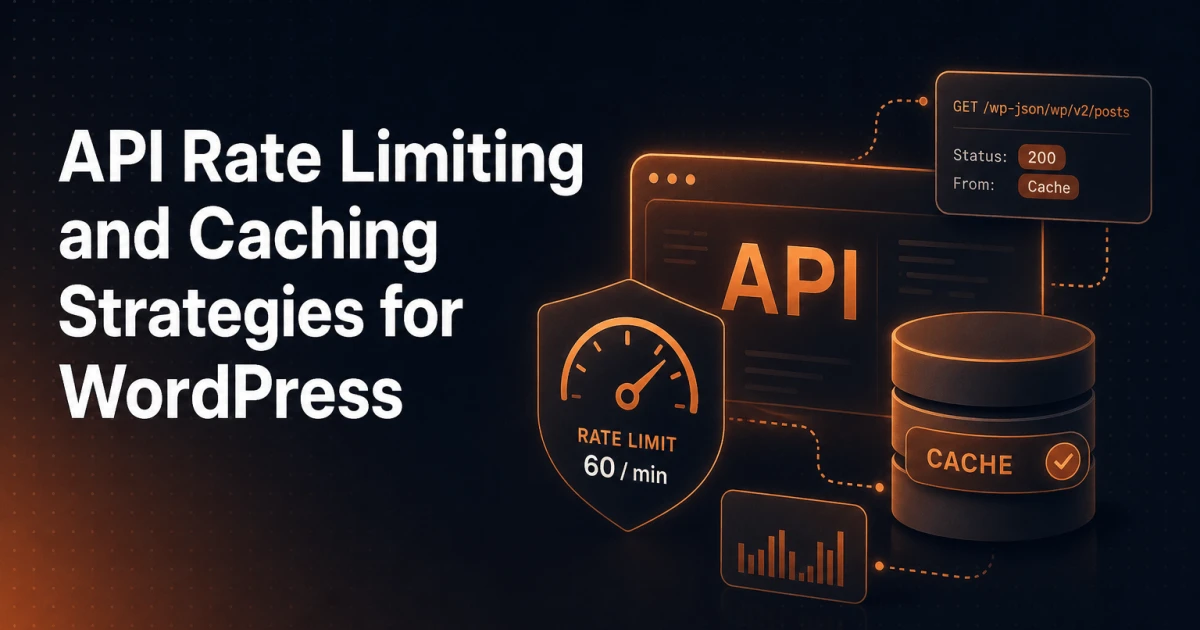
The WordPress REST API ships enabled by default on every installation since WordPress 4.7, yet most developers only stress-test it when something breaks in production. A single unauthenticated GET /wp-json/wp/v2/posts request can trigger multiple database queries, post meta lookups, taxonomy resolution, and permission checks - all serialised into JSON before the response leaves the server. Multiply that by hundreds of concurrent requests from a decoupled front-end or a mobile app, and the performance picture changes fast.
This guide covers the full stack of strategies: rate limiting, caching layers, authentication overhead, pagination discipline, response shaping, and monitoring. Code examples are practical and production-oriented.
The REST API at Scale - What Actually Goes Wrong
WordPress was designed around a page-request model where a single PHP process handles one visitor at a time. The REST API breaks that assumption. A JavaScript front-end might fire four or five parallel requests on page load, a CI pipeline might poll an endpoint every few seconds, and a poorly written plugin might call wp_remote_get() against its own REST API in a loop during a cron job.
The failure modes are predictable: database connection exhaustion, PHP-FPM worker saturation, and object cache misses that cascade into slow queries. None of these surface as obvious errors - they degrade gracefully until the server falls over. The first step toward fixing them is understanding which layer is the bottleneck, which is why monitoring comes last in this article rather than first.
Rate Limiting: Application-Level vs Server-Level
Rate limiting is the practice of capping how many requests a client can make within a time window. WordPress core provides no built-in rate limiting for the REST API, which means the responsibility falls entirely on the developer.
Server-Level Rate Limiting
The most efficient place to rate-limit is before PHP ever runs. Nginx's limit_req module and Apache's mod_ratelimit can both enforce per-IP limits at the web server layer, rejecting excess requests with a 429 Too Many Requests response before WordPress boots.
A minimal Nginx configuration for REST API endpoints looks like this:
limit_req_zone $binary_remote_addr zone=wp_api:10m rate=30r/m;

location ~* ^/wp-json/ {
    limit_req zone=wp_api burst=10 nodelay;
    limit_req_status 429;
    try_files $uri $uri/ /index.php$is_args$args;
}
This allows 30 requests per minute per IP with a burst allowance of 10. Adjust the rate to match your legitimate traffic patterns - authenticated admin users and public consumers should ideally have separate zones.
If you are behind a CDN or load balancer, $binary_remote_addr will resolve to the proxy IP. Use $http_x_forwarded_for or a trusted-proxy configuration instead, otherwise you rate-limit the entire CDN rather than individual clients.
Application-Level Rate Limiting in WordPress
When server-level control is unavailable - shared hosting, managed WordPress platforms - you can enforce rate limits inside WordPress using a REST API middleware pattern. The rest_pre_dispatch filter runs before any endpoint callback and is the correct hook for this.
add_filter( 'rest_pre_dispatch', function( $result, $server, $request ) {
    $ip       = $_SERVER['REMOTE_ADDR'] ?? 'unknown';
    $key      = 'api_rate_' . md5( $ip );
    $limit    = 60;
    $window   = 60; // seconds
    $count    = (int) get_transient( $key );

    if ( $count >= $limit ) {
        return new WP_Error(
            'rate_limit_exceeded',
            'Too many requests. Please slow down.',
            [ 'status' => 429 ]
        );
    }

    if ( $count === 0 ) {
        set_transient( $key, 1, $window );
    } else {
        set_transient( $key, $count + 1, $window );
    }

    return $result;
}, 10, 3 );
This uses transients as a sliding counter. The limitation is that transients backed by the database introduce write overhead on every request. If you have a persistent object cache (Redis, Memcached), transients are stored there instead, making this pattern genuinely lightweight. Without a persistent cache, server-level limiting is strongly preferable.
Caching REST API Responses
Caching is where the largest performance gains live. The REST API has several distinct layers where responses can be cached, and each layer serves a different use case.
Transient Caching for Custom Endpoints
For custom endpoints that aggregate data from multiple queries, transients are the simplest caching mechanism. Cache the full response array and invalidate on relevant post saves or option updates.
register_rest_route( 'myapp/v1', '/featured', [
    'methods'  => 'GET',
    'callback' => function( WP_REST_Request $request ) {
        $cache_key = 'myapp_featured_posts';
        $data      = get_transient( $cache_key );

        if ( false === $data ) {
            $posts = get_posts([
                'post_status'    => 'publish',
                'posts_per_page' => 10,
                'meta_key'       => '_featured',
                'meta_value'     => '1',
            ]);
            $data = array_map( 'prepare_featured_post', $posts );
            set_transient( $cache_key, $data, HOUR_IN_SECONDS );
        }

        return rest_ensure_response( $data );
    },
    'permission_callback' => '__return_true',
] );

add_action( 'save_post', function( $post_id ) {
    delete_transient( 'myapp_featured_posts' );
} );
HTTP Cache Headers
WordPress core sets Cache-Control: no-cache, must-revalidate, max-age=0 on all REST API responses by default. For public, read-only endpoints this is unnecessarily conservative. You can override cache headers per response using the rest_post_dispatch filter.
add_filter( 'rest_post_dispatch', function( WP_HTTP_Response $response, WP_REST_Server $server, WP_REST_Request $request ) {
    if ( $request->get_method() !== 'GET' ) {
        return $response;
    }

    // Only cache public routes - never authenticated responses
    if ( is_user_logged_in() ) {
        return $response;
    }

    $route = $request->get_route();
    if ( strpos( $route, '/wp/v2/posts' ) === 0 ) {
        $response->header( 'Cache-Control', 'public, max-age=300, s-maxage=600' );
        $response->header( 'Vary', 'Accept-Encoding' );
    }

    return $response;
}, 10, 3 );
s-maxage controls how long a shared cache (CDN, Varnish) stores the response, while max-age controls the browser cache. Setting Vary: Accept-Encoding ensures compressed and uncompressed variants are cached separately.
CDN Integration
A CDN that supports cache-control header passthrough can serve REST API responses from edge nodes, eliminating origin hits entirely for public content. The key requirement is that authenticated requests must bypass the CDN cache - typically enforced by passing cookies or an Authorization header, which most CDNs treat as a cache bypass signal by default.
For a deeper look at how CDN-level caching intersects with SEO and performance, the article on Edge SEO and CDN-based optimizations covers the underlying mechanics well.
Authentication and Its Performance Implications
Authentication is one of the most overlooked sources of REST API latency. Each authentication method carries a different performance profile.
Nonces are the default mechanism for authenticated requests from the WordPress front-end. They are cheap to verify but tied to a logged-in session, which means they cannot be used for server-to-server communication and expire after 24 hours. Every nonce-authenticated request still runs the full cookie authentication stack.
Application Passwords, introduced in WordPress 5.6, use HTTP Basic authentication. They are appropriate for external integrations but require the server to hash and verify the password on every request. There is no session caching - each request authenticates from scratch. On high-traffic authenticated endpoints, this adds measurable overhead.
JWT (JSON Web Tokens) are not part of WordPress core but are available via plugins. A properly implemented JWT flow authenticates once, receives a signed token, and then passes that token on subsequent requests. The server verifies the signature cryptographically without a database lookup, which is significantly faster than Application Passwords at scale. If you are building a decoupled front-end with frequent authenticated requests, JWT is worth the implementation cost.
When debugging JWT payloads during development, a tool like the JWT Decoder lets you inspect token claims without writing throwaway code.
A practical rule: never run authenticated endpoints through a CDN cache. Always route authenticated traffic directly to origin, and apply your caching strategies exclusively to public endpoints.
Pagination: Handling Large Datasets Without Hammering the Server
The default REST API pagination uses page and per_page parameters. per_page maxes out at 100, which is a reasonable guard, but the underlying WP_Query still runs a SQL_CALC_FOUND_ROWS query to populate the X-WP-Total and X-WP-TotalPages response headers. On large tables, this count query can be slower than the data query itself.
For endpoints where total counts are not needed, disable them:
add_filter( 'rest_post_query', function( $args, $request ) {
    // Disable SQL_CALC_FOUND_ROWS when the client doesn't need totals
    if ( $request->get_param( 'no_count' ) ) {
        $args['no_found_rows'] = true;
    }
    return $args;
}, 10, 2 );
For cursor-based pagination on custom endpoints, store the last seen ID rather than a page offset. Offset pagination requires MySQL to scan and discard rows - cursor pagination does not.
// Cursor-based: fetch posts after a given ID
$args = [
    'post_status'    => 'publish',
    'posts_per_page' => 20,
    'orderby'        => 'ID',
    'order'          => 'DESC',
];

$after_id = (int) $request->get_param( 'after' );
if ( $after_id > 0 ) {
    $args['post__not_in'] = []; // Not ideal - use a WHERE clause via posts_where filter
    add_filter( 'posts_where', function( $where ) use ( $after_id ) {
        global $wpdb;
        $where .= $wpdb->prepare( ' AND ID < %d', $after_id );
        return $where;
    } );
}
Response Shaping: Stop Fetching What You Don't Use
A default /wp/v2/posts response contains over 30 fields per post, including rendered content, excerpts, links, embedded meta, and GUID variants. If your front-end only needs the title, slug, and featured image ID, you are transferring and serialising roughly ten times more data than necessary.
Using the _fields Parameter
The REST API supports a built-in _fields parameter that filters the response to only the specified top-level keys:
GET /wp-json/wp/v2/posts?_fields=id,slug,title,featured_media&per_page=20This reduces response size and the time spent in WP_REST_Posts_Controller::prepare_item_for_response(), which runs permission checks and formatting on every field it includes.
Custom Endpoints to Avoid Over-Fetching
For complex data shapes - posts with related taxonomy terms, meta fields, and author data in a single response - a custom endpoint beats multiple requests or the _embed parameter. Embedding triggers sub-requests internally and can multiply query counts unpredictably.
register_rest_route( 'myapp/v1', '/posts-summary', [
    'methods'             => 'GET',
    'permission_callback' => '__return_true',
    'callback'            => function( WP_REST_Request $request ) {
        $cache_key = 'myapp_posts_summary_' . md5( serialize( $request->get_params() ) );
        $cached    = wp_cache_get( $cache_key, 'myapp' );

        if ( false !== $cached ) {
            return rest_ensure_response( $cached );
        }

        $posts = get_posts([
            'post_status'    => 'publish',
            'posts_per_page' => (int) $request->get_param( 'per_page' ) ?: 20,
            'no_found_rows'  => true,
        ]);

        $data = array_map( function( WP_Post $post ) {
            return [
                'id'             => $post->ID,
                'slug'           => $post->post_name,
                'title'          => get_the_title( $post ),
                'category_names' => wp_get_post_terms( $post->ID, 'category', [ 'fields' => 'names' ] ),
                'thumbnail_url'  => get_the_post_thumbnail_url( $post->ID, 'medium' ),
            ];
        }, $posts );

        wp_cache_set( $cache_key, $data, 'myapp', 5 * MINUTE_IN_SECONDS );

        return rest_ensure_response( $data );
    },
] );
This pattern - one request, one query, a predictable response shape, and object cache backing - is substantially more efficient than assembling the same data client-side from multiple default endpoints.
If you are building plugins that expose REST endpoints, the Signocore plugin ecosystem follows this same principle: tight, purpose-built endpoints rather than generic ones that expose more surface area than necessary.
Monitoring REST API Performance Bottlenecks
Identifying where time is actually lost requires instrumentation. Three approaches cover most scenarios.
Query Monitor (the free plugin) logs every database query triggered by a REST API request when you append ?qm-response=true to the URL as an authenticated user. It surfaces slow queries, duplicate queries, and the hooks that triggered them - the fastest way to find an endpoint that is running 40 queries when it should run 4.
Application Performance Monitoring (APM) tools like New Relic, Datadog, or the self-hosted Glitchtip can instrument PHP at the process level, capturing wall-clock time per function call without requiring code changes. For production diagnosis of intermittent slowdowns, APM data is far more reliable than local profiling.
Logging response times at the server level gives you a baseline without PHP overhead. In Nginx, add $request_time to your access log format and pipe slow requests (above 500ms) to a separate log file. Cross-reference with your database slow query log to isolate whether latency lives in PHP or MySQL.
A useful supplementary habit: validate your endpoint responses with a JSON Formatter during development to catch unexpectedly large payloads before they reach production. Response size is often a more reliable proxy for hidden complexity than raw response time.
Putting It Together
The WordPress REST API is a mature, well-structured interface - but it was not designed with high-concurrency read traffic as its primary use case. The patterns that make it perform at scale are additive: server-level rate limiting keeps abusive traffic off your PHP workers, HTTP cache headers and CDN integration eliminate redundant origin requests, object-cache-backed custom endpoints collapse multi-query operations into single fast lookups, and cursor-based pagination avoids the MySQL offset penalty on large tables.
None of these changes require replacing WordPress or abandoning the REST API. They require understanding where the overhead lives and applying the right tool at the right layer. The developers who get this right treat the REST API the same way they treat any other database-backed interface: they measure first, cache deliberately, and expose only the data the client actually needs.