Most SEO tools follow the same model: sign up, verify your email, pick a plan, maybe start a free trial, and then wait to see if the tool is actually worth anything. By the time you get to the audit, you have already spent fifteen minutes on onboarding.
Signocore SEO Analyzer skips all of that. Paste a URL, hit analyze, and get a complete technical audit in seconds.
What the Tool Checks
The audit covers more than 50 individual checks across six categories, each designed to surface the issues that actually affect search rankings and user experience.
On-Page SEO covers the fundamentals: title tag, meta description, heading structure, keyword placement, and canonical tags. These are the signals search engines use to understand what a page is about, and getting them right is the foundation everything else builds on.
Social and Schema Markup looks at Open Graph tags, Twitter Card data, and structured data. These do not directly influence rankings, but they affect how your pages appear in social feeds and in rich search results. A missing OG image or a broken schema block is easy to overlook and easy to fix once you know it is there.
Technical SEO examines indexability, robots.txt, sitemap, redirects, and similar infrastructure-level factors. This is where issues tend to be invisible until they are causing real damage. A page blocked by robots.txt, a misconfigured redirect chain, or a missing canonical can quietly drain crawl budget for months before anyone notices.
Links and Images checks internal and external links for broken references, evaluates image alt attributes for accessibility and SEO value, and flags anything that could slow down crawling or indexing.
Security and Performance goes further than most auditors expect from a free tool. It detects whether the site serves content with compression enabled, checks for HTTP/2 and HTTP/3 support, validates the SSL certificate, and inspects security headers including Content-Security-Policy, X-Frame-Options, and Strict-Transport-Security. These are often treated as DevOps concerns, but they have direct implications for both ranking and trust.
Mobile and Accessibility covers viewport configuration, responsive design indicators, and basic accessibility checks. Google's mobile-first indexing makes this non-negotiable for any site that cares about organic traffic.
Real-Time Results and an Overall Score
Results do not appear all at once. As each category completes its checks, the findings load in real time, so you can start reviewing issues before the full audit is done. This is a deliberate design choice: audits are faster to act on when you are not waiting for a spinner to finish.
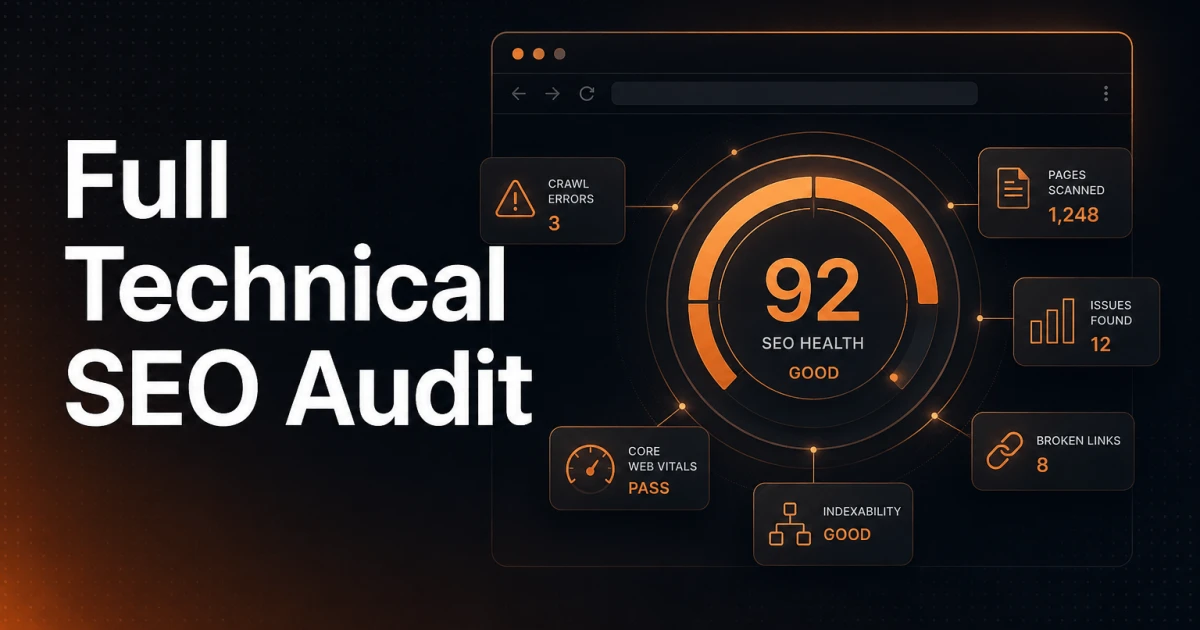
Once the full audit is complete, the tool calculates an overall score from 0 to 100 and breaks it down by category. The per-category scores make it straightforward to prioritize. A site that scores well on on-page SEO but poorly on technical SEO has a different remediation path than one with the reverse pattern, and the breakdown makes that visible immediately.
The Optional Keyword Check
Beyond the standard audit, the tool includes an optional keyword check. Enter a target keyword and the analyzer will verify whether it appears in the title tag, meta description, H1, URL, and page body. This is useful for confirming that optimized content is actually rendering the way it should, or for quickly evaluating a competitor's page to see how deliberately they are targeting a term.
The check is optional because not every audit needs it. Sometimes you just want to know if the site is technically sound.
Export to PDF
Every audit can be exported as a full PDF report. This is useful in a few specific situations: handing off findings to a developer who needs a reference document, presenting audit results to a client, or archiving a baseline before making significant changes to a site. The export covers the complete set of findings, not a summary.
Who This Is Built For
Web developers working across multiple client sites benefit most directly. Running a quick audit before and after deployment takes less than a minute and surfaces any regressions introduced during the build. There is no per-site limit and no client management overhead.
Freelancers and agencies can use the tool during initial consultations without committing to a paid platform for work that has not started yet. A PDF export from an audit is a concrete deliverable that demonstrates technical understanding before any contract is signed.
Website owners who are not developers can use the tool to get an objective picture of their site's health without needing to interpret raw data from a command-line crawler. The category breakdown and numerical score translate technical findings into something actionable, even without deep SEO knowledge.
No Signup, No Paywall, No Installation
The tool runs entirely in the browser. There is no account to create, no free tier with artificial limits, no browser extension, and nothing to install. It works on any URL that is publicly accessible, which means you can audit your own site, a client's site, or any live page you have access to.
This is worth stating plainly because it is less common than it should be. Free SEO tools usually exist to convert users into paying customers. This one exists because auditing a website should not require a subscription.
Run Your First Audit
A technical SEO audit is one of the highest-return activities in web development. The issues it surfaces are frequently the cause of underperformance that no amount of content or link building can compensate for. Slow load times, broken canonical tags, missing security headers, and misconfigured redirects do not fix themselves, and they are often invisible to anyone who is not actively looking for them.
The SEO Analyzer is free, requires no account, and gives you results in seconds. There is no reason to leave a technical problem undiagnosed.