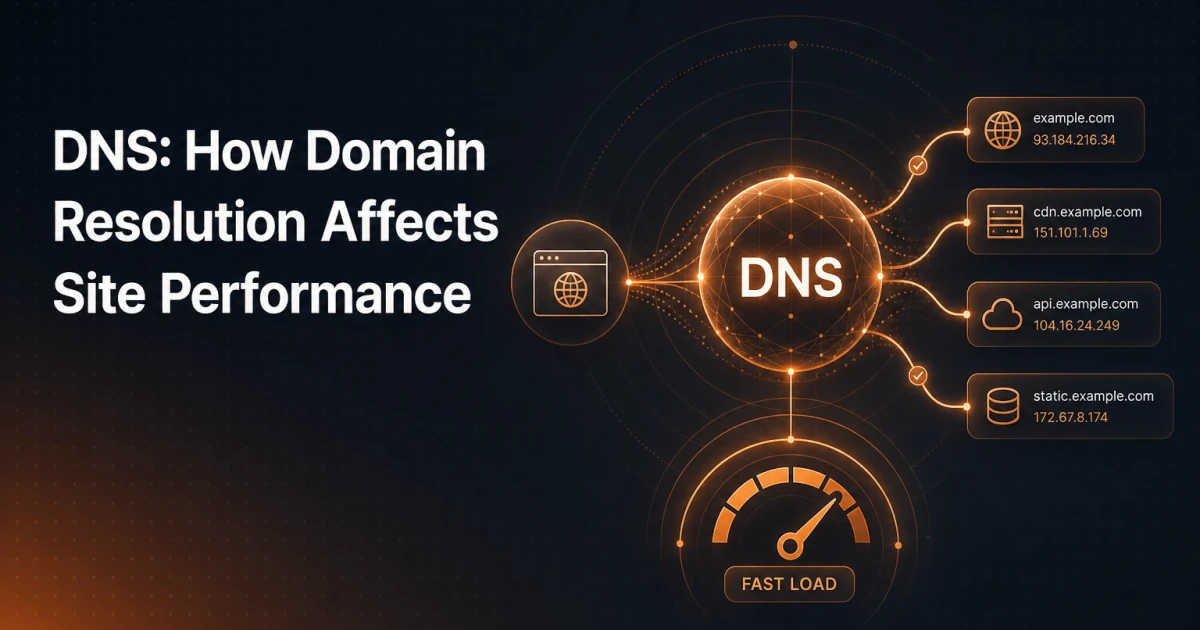
Every page load starts before a single byte of HTML is transferred. Before the browser can open a TCP connection, before TLS negotiates, before your server even knows a visitor exists - the browser must translate your domain name into an IP address. That translation is DNS, and for most developers and site owners it is a black box: something that "just works" until it doesn't. Understanding what happens inside that box is the difference between guessing at performance problems and diagnosing them precisely.
How DNS Resolution Works, Step by Step
When a user types example.com into their browser, the operating system first checks its local cache. If no cached answer exists, the request travels to a recursive resolver - typically operated by the user's ISP, or a public resolver like Cloudflare's 1.1.1.1 or Google's 8.8.8.8. The recursive resolver is the workhorse: it does the legwork of finding the answer so the client doesn't have to.
If the recursive resolver has no cached record, it starts a chain of queries. First, it contacts one of the thirteen sets of root nameservers (operated by IANA and various organizations). Root servers don't know where example.com lives, but they know who is responsible for .com - the TLD nameserver. The resolver asks the TLD nameserver for .com, which returns a referral pointing to the authoritative nameservers registered for example.com. Those authoritative nameservers - typically your DNS provider (Cloudflare, Route 53, Namecheap, etc.) - hold the actual records and return the final answer: an IP address.
The entire chain typically completes in 20-120 milliseconds on a cold lookup. That latency adds directly to your Time to First Byte and, by extension, to every metric that depends on it - including Google's Core Web Vitals.
DNS Record Types: What Each One Does
DNS is not a single lookup but a structured database of typed records. Knowing what each record type controls gives you direct influence over routing, email delivery, and security.
A record - Maps a hostname to an IPv4 address. This is the most fundamental record:
example.com → 93.184.216.34. Every request to your site ultimately resolves through an A record.AAAA record - The IPv6 equivalent of an A record. With IPv6 adoption growing steadily, a missing AAAA record means some clients fall back to IPv4 with an added delay, particularly on mobile networks that prefer IPv6.
CNAME record - An alias that points one hostname to another hostname rather than an IP address. Commonly used for subdomains (
www → example.com) and for pointing subdomains at CDN or SaaS endpoints. A CNAME introduces one additional DNS lookup, which matters at scale.MX record - Specifies which mail servers accept email for your domain. MX records include a priority value; lower numbers are tried first. Getting these wrong means lost email, not a website outage - but the consequences can be severe.
TXT record - A free-form text field used for domain verification and email authentication. SPF, DKIM, and DMARC all live here. TXT records have become the general-purpose slot for proving domain ownership to third-party services.
NS record - Delegates authority for a zone to specific nameservers. Your NS records, set at the registrar, tell the world which servers hold the authoritative copy of your DNS zone. Changing these triggers a global propagation delay.
How DNS Affects Page Speed
DNS lookup time is a hard sequential dependency. Nothing else can start until the IP address is resolved. On a typical broadband connection, a cold DNS lookup adds 20-60ms. On mobile networks or in regions far from the recursive resolver, that figure climbs to 100-300ms. Multiply that across third-party resources - analytics scripts, font providers, ad networks, CDN origins - and DNS latency compounds.
TTL Values and Cache Behavior
Every DNS record carries a Time to Live (TTL) value measured in seconds. A TTL of 3600 means resolvers may cache the record for one hour before re-querying. High TTLs (86400 seconds / 24 hours) are efficient: once cached, subsequent lookups are instant. Low TTLs (60-300 seconds) force frequent re-resolution, adding latency for every visitor whose resolver cache has expired.
The practical implication: if you are planning a server migration or CDN switch, lower your TTL to 300 seconds at least 48 hours beforehand. Once the change is live and verified, raise it back to 3600 or higher. Changing A records with a 24-hour TTL mid-migration is how sites end up routing traffic to dead servers for hours.
DNS Prefetching
Browsers support a mechanism called DNS prefetch that resolves third-party hostnames before the browser actually needs them. Adding a single line to your HTML <head> can eliminate DNS latency for external resources entirely:
<link rel="dns-prefetch" href="//fonts.googleapis.com">
<link rel="dns-prefetch" href="//cdn.example.com">
For resources you are certain will be needed - and where you want to go further than just DNS resolution - rel="preconnect" establishes the full TCP and TLS handshake proactively. Use it sparingly, because each preconnect consumes browser resources. DNS prefetch is cheap; preconnect is not.
Missing DNS prefetch hints for font providers, analytics scripts, or CDN subdomains is one of the most common and easiest-to-fix performance oversights. Tools like the Signocore SEO Analyzer surface these kinds of page-level performance signals alongside technical SEO issues, giving you a single audit view of factors that affect both speed and ranking.
CDN and DNS: Anycast and Geographic Routing
Content delivery networks use DNS as their primary traffic steering mechanism. When you point your domain at a CDN, the CDN's authoritative nameservers return different IP addresses depending on where the query originates. A visitor in Tokyo receives an IP for a Tokyo edge node; a visitor in Frankfurt receives a Frankfurt IP. This is GeoDNS - geographic routing at the DNS layer - and it happens before a single TCP packet is sent to your origin.
The underlying network mechanism is Anycast routing. The CDN advertises the same IP address block from multiple data centers worldwide. The internet's BGP routing protocol naturally directs each query to the topographically nearest node. From a DNS perspective, the address looks identical everywhere; from a network perspective, the traffic lands at the closest edge location. This is why CDN-served sites have dramatically lower latency globally without requiring clients to know anything about the CDN's infrastructure.
The connection between CDN architecture and SEO is explored in more depth in the article on Edge SEO and CDN-based optimizations - worth reading alongside this piece if your concern extends beyond raw performance into how CDN configuration shapes crawlability and indexing.
Common DNS-Related Performance Problems
Most DNS performance issues fall into a small number of recurring patterns. Recognizing them by name makes them faster to diagnose.
High TTL on frequently changing records - If your hosting environment autoscales, assigns new IPs on deploys, or rotates load balancer endpoints, a 24-hour TTL on your A record means stale caches point visitors to dead addresses long after a change. Keep TTLs at 300-3600 seconds for records that change with any regularity.
CNAME chains - Chaining CNAMEs (
www → alias.cdn.com → edge.cdn.com → actual-ip.cdn.com) multiplies the number of DNS lookups required. Each hop adds latency. Some DNS providers flatten CNAME chains at the authoritative level, returning the final A record directly - a feature worth checking for on high-traffic zones.Missing DNS prefetch hints for third-party scripts - Analytics platforms, tag managers, comment systems, and payment widgets all load from external domains. Without prefetch hints, the browser resolves each hostname sequentially as it parses the page. Auditing your page's third-party hostnames and adding prefetch hints for the most critical ones is a low-effort, measurable win.
Slow authoritative nameservers - Not all DNS providers are equally fast. Nameserver response time varies significantly between budget registrar DNS and dedicated DNS providers. Running a DNS lookup against your domain from multiple global vantage points reveals whether your authoritative nameservers are consistently fast or a bottleneck.
DNS Security: DNSSEC, SPF, DKIM, and DMARC
DNSSEC (DNS Security Extensions) adds cryptographic signatures to DNS responses, allowing resolvers to verify that the answer they received was not tampered with in transit. Without DNSSEC, an attacker positioned between a resolver and an authoritative nameserver could inject forged DNS responses - redirecting your domain to a malicious IP. DNSSEC does not encrypt DNS traffic; it authenticates it. Enabling it requires support from both your registrar and your DNS provider, and misconfiguration can take your domain offline, so it warrants careful implementation.
Email authentication lives almost entirely in DNS, via three TXT records that work together:
SPF (Sender Policy Framework) - Lists the IP addresses and mail servers authorized to send email on behalf of your domain. A receiving mail server checks the SPF record of the sending domain and rejects or flags messages from unauthorized sources. A typical SPF record looks like:
v=spf1 include:_spf.google.com ~all.DKIM (DomainKeys Identified Mail) - Adds a cryptographic signature to outgoing emails. The public key is published as a TXT record under a selector subdomain (e.g.,
google._domainkey.example.com). Receiving servers verify the signature against the published key, confirming the message was not altered after sending.DMARC (Domain-based Message Authentication, Reporting and Conformance) - Ties SPF and DKIM together with a policy. It tells receiving servers what to do when a message fails both checks (none, quarantine, or reject) and where to send aggregate reports. A
p=rejectDMARC policy is the strongest protection against domain spoofing and is increasingly required for bulk email deliverability.
These three records are not optional for any domain sending transactional or marketing email. Major providers including Google and Microsoft now enforce DMARC alignment for bulk senders, and missing or misconfigured SPF/DKIM/DMARC is the most common cause of legitimate email landing in spam.
Tools for DNS Analysis
Treating DNS as a black box ends the moment you start querying it directly. Three tools cover the majority of real-world DNS diagnostic needs.
dig is the standard command-line DNS query tool available on Linux and macOS. A basic lookup - dig example.com A - returns the A record along with TTL, the queried nameserver, and response time. Adding +trace walks the full resolution chain from root to authoritative, showing exactly which servers are consulted. dig TXT example.com retrieves SPF and DMARC records for inspection.
nslookup is the Windows-native equivalent, available on all platforms. It is less feature-rich than dig but accessible without additional installation. For quick record checks in environments where dig is unavailable, it covers the basics.
dnschecker.org and similar web-based tools query your domain from dozens of global locations simultaneously, showing propagation status after a DNS change. This is the practical tool for confirming that a TTL has expired and new records are live worldwide - not just from your local resolver's perspective.
For browser-based DNS inspection without leaving your workflow, the DNS Lookup tool in the Signocore developer utilities lets you query any record type against any domain directly from your browser - useful during audits when you need to cross-reference DNS configuration against page behavior without switching to a terminal.
Making DNS Actionable
DNS performance is not a one-time configuration task. It requires periodic auditing: checking TTL values before infrastructure changes, verifying DNS prefetch hints after adding new third-party integrations, confirming DMARC policy strength as your email sending volume grows, and monitoring authoritative nameserver response times as your traffic scales globally. The infrastructure that routes every single visitor to your site deserves the same deliberate attention you give to your application code - because no amount of server-side optimization can compensate for a DNS layer that adds 200ms before the first byte even begins its journey.