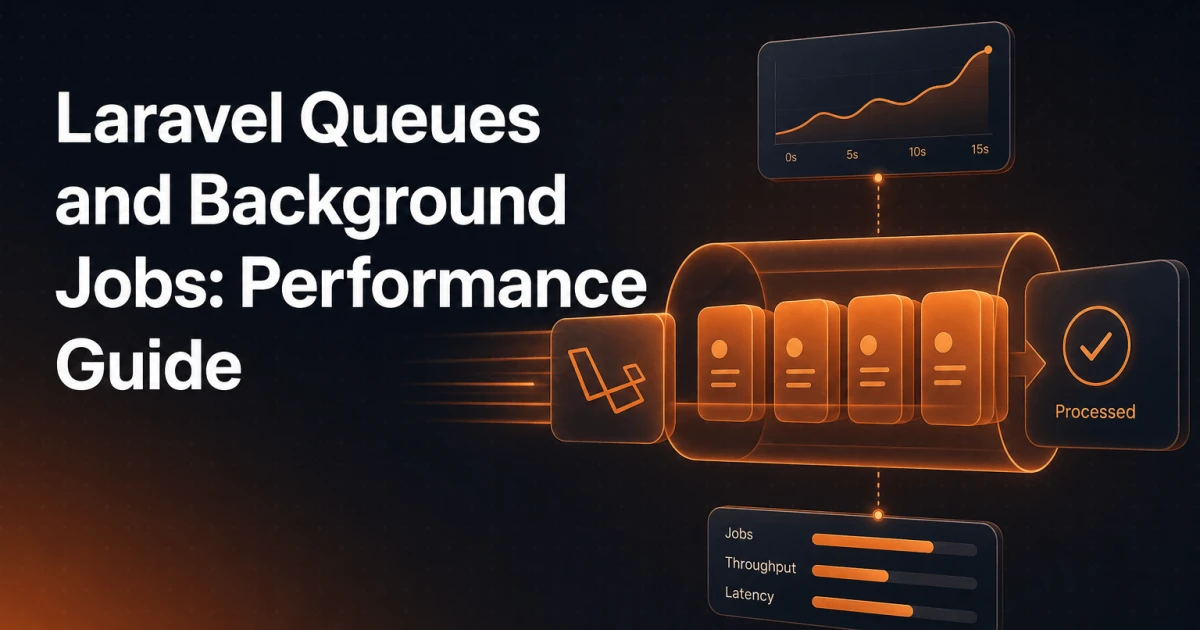
Every millisecond a user waits for a response is a millisecond they're considering leaving. When your application sends a welcome email, resizes an uploaded image, or pings a third-party webhook inside the HTTP request cycle, you're forcing the browser to wait for work it never needed to see completed. Laravel's queue system exists precisely to remove that constraint - pushing time-consuming work off the main thread and into a managed background process that runs independently of user-facing requests.
This guide covers the full picture: queue fundamentals, driver selection, job configuration, Horizon for production monitoring, and Supervisor for process management. Code examples are included throughout.
Why Synchronous Processing Kills Response Times
A typical Laravel controller action completes in under 100ms when it only reads from a database and renders a view. Add a Mailgun API call and that climbs to 400ms. Add image processing with Intervention Image and you can easily hit 2-3 seconds. None of that latency delivers any visible benefit to the user who just clicked "Submit" - they only need confirmation that their request was received.
Synchronous processing also creates fragility. If the mail server is temporarily unreachable, your entire request fails. If the image processing library throws an exception, the user gets a 500 error even though their data was saved correctly. Background jobs decouple these concerns: the HTTP response returns immediately, and the heavy work happens reliably in a separate process with retry logic and failure handling built in.
The performance impact compounds at scale. Under load, slow synchronous operations reduce the number of requests your PHP-FPM workers can handle concurrently. Moving that work to queue workers - which you can scale independently - keeps your web tier lean and responsive.
Laravel Queue Fundamentals
Job Classes
A Laravel job is a plain PHP class that implements the ShouldQueue interface. Generate one with Artisan:
php artisan make:job SendWelcomeEmailThe generated class lives in app/Jobs/ and contains a handle() method where your logic goes. Dependencies are resolved from the service container automatically:
<?php

namespace App\Jobs;

use App\Models\User;
use App\Mail\WelcomeEmail;
use Illuminate\Bus\Queueable;
use Illuminate\Contracts\Queue\ShouldQueue;
use Illuminate\Foundation\Bus\Dispatchable;
use Illuminate\Queue\InteractsWithQueue;
use Illuminate\Queue\SerializesModels;
use Illuminate\Support\Facades\Mail;

class SendWelcomeEmail implements ShouldQueue
{
    use Dispatchable, InteractsWithQueue, Queueable, SerializesModels;

    public function __construct(public User $user) {}

    public function handle(): void
    {
        Mail::to($this->user)->send(new WelcomeEmail($this->user));
    }
}
The SerializesModels trait handles Eloquent model serialization correctly - it stores only the model's ID and re-fetches it from the database when the job is processed, avoiding stale data and bloated payloads.
Dispatching Jobs
Dispatching is a single method call from anywhere in your application:
// Dispatch to the default queue
SendWelcomeEmail::dispatch($user);

// Dispatch to a specific named queue
SendWelcomeEmail::dispatch($user)->onQueue('emails');

// Dispatch with a 5-minute delay
SendWelcomeEmail::dispatch($user)->delay(now()->addMinutes(5));

// Dispatch synchronously (bypasses queue - useful in tests)
SendWelcomeEmail::dispatchSync($user);
The Queue Worker
Queue workers are long-running PHP processes that poll the queue connection for jobs and execute them. Start one with:
php artisan queue:workThe worker boots Laravel once and then processes jobs in a loop - far more efficient than queue:listen, which re-boots the framework for every job. The trade-off is that code changes require a worker restart, which is handled in production by Supervisor (covered below).
Key flags you'll use regularly:
# Process only the 'emails' queue
php artisan queue:work --queue=emails

# Set memory limit and sleep time between polls
php artisan queue:work --memory=256 --sleep=3

# Process a single job then exit (useful for cron-based setups)
php artisan queue:work --once
Queue Drivers Compared
Laravel supports multiple queue backends through a unified API. Switching drivers requires only a configuration change - your job classes stay identical.
Database - Easy Setup
The database driver stores jobs in a jobs table in your existing database. Setup takes two commands:
php artisan queue:table
php artisan migrate
This is the right choice for development environments and low-traffic applications where you don't want to introduce additional infrastructure. The downside at scale is that polling creates constant database load, and under high throughput the jobs table becomes a contention point. For production workloads above a few hundred jobs per minute, move to Redis.
Redis - Production Grade
Redis is the standard choice for production Laravel applications. It handles queue operations with sub-millisecond latency, supports atomic operations that prevent jobs from being processed twice, and integrates with Laravel Horizon for real-time monitoring.
# .env
QUEUE_CONNECTION=redis
REDIS_HOST=127.0.0.1
REDIS_PASSWORD=null
REDIS_PORT=6379
Install the Predis client or the phpredis extension, then set QUEUE_CONNECTION=redis. Redis queues support blocking pops, meaning workers don't poll on a timer - they wait for work to arrive, which reduces latency and CPU overhead simultaneously.
Amazon SQS - Cloud Scale
SQS is the natural fit for applications deployed on AWS that need to scale queue workers independently as auto-scaling groups. It's fully managed, highly available, and integrates with IAM for access control. The trade-off is slightly higher per-job latency compared to Redis, and SQS's visibility timeout model requires careful configuration to match your job execution time.
# .env
QUEUE_CONNECTION=sqs
AWS_ACCESS_KEY_ID=your-key
AWS_SECRET_ACCESS_KEY=your-secret
AWS_DEFAULT_REGION=us-east-1
SQS_QUEUE=https://sqs.us-east-1.amazonaws.com/your-account/your-queue
SQS does not support job delays longer than 15 minutes natively, and it lacks the introspection capabilities of Redis plus Horizon. For teams already invested in AWS infrastructure, however, it removes the operational burden of managing a Redis cluster.
Job Configuration: Delays, Retries, Timeouts, and Failure Handling
Production jobs need explicit configuration for failure scenarios. Define these directly on the job class:
class ProcessUploadedImage implements ShouldQueue
{
    use Dispatchable, InteractsWithQueue, Queueable, SerializesModels;

    // Maximum number of attempts before marking as failed
    public int $tries = 3;

    // Timeout in seconds - worker kills the job if it exceeds this
    public int $timeout = 60;

    // Seconds to wait between retries (exponential backoff)
    public int $backoff = 10;

    // Delete the job if the model no longer exists
    public bool $deleteWhenMissingModels = true;

    public function handle(): void
    {
        // image processing logic
    }

    public function failed(\Throwable $exception): void
    {
        // Notify the team, log to a monitoring service, etc.
        \Log::error('Image processing failed', [
            'exception' => $exception->getMessage(),
        ]);
    }
}
The failed() method is called after all retry attempts are exhausted. Use it to send alerts, update database records, or notify users that their upload needs to be retried. Failed jobs are stored in the failed_jobs table, which you create with php artisan queue:failed-table && php artisan migrate.
For exponential backoff - where each retry waits progressively longer - return an array from a backoff() method instead of using the scalar property:
public function backoff(): array
{
    return [10, 30, 60]; // 10s, 30s, 60s between attempts
}
Horizon: Monitoring and Managing Queues in Production
Laravel Horizon provides a dashboard and configuration system for Redis-backed queues. Install it via Composer:
composer require laravel/horizon
php artisan horizon:install
php artisan migrate
Horizon's real value is its configuration-as-code approach. Rather than manually starting workers with different flags, you define your worker pools in config/horizon.php:
'environments' => [
    'production' => [
        'supervisor-1' => [
            'maxProcesses' => 10,
            'balanceMaxShift' => 1,
            'balanceCooldown' => 3,
        ],
    ],
    'local' => [
        'supervisor-1' => [
            'maxProcesses' => 3,
        ],
    ],
],
Horizon's auto-balancing feature monitors queue throughput and adjusts the number of worker processes dynamically - scaling up when jobs accumulate and scaling down during quiet periods. The dashboard at /horizon shows job throughput, failure rates, processing times, and queue depths in real time.
Secure the dashboard in production by defining a gate in App\Providers\HorizonServiceProvider:
protected function gate(): void
{
    Gate::define('viewHorizon', function ($user) {
        return in_array($user->email, config('horizon.allowed_emails'));
    });
}
Practical Patterns
Email Sending
Email is the canonical queue use case. Wrap any Mail::send() call in a job and the HTTP response time drops by the full round-trip latency to your mail provider. Use Laravel's built-in ShouldQueue on Mailable classes directly as a lighter alternative for simple cases:
class WelcomeEmail extends Mailable implements ShouldQueue
{
    // Laravel automatically queues this when dispatched via Mail::to()->send()
}
Image Processing
Image operations - resizing, format conversion, thumbnail generation - are CPU-bound and can take several seconds per file. Dispatch a job immediately after the upload is stored, return the user a "processing" status, and update the record when the job completes. For web-based image work during development, the Image Resizer & Cropper and Image Compressor tools at Signocore handle quick transformations without any server-side setup.
Third-Party API Calls
Any outbound HTTP request to a third-party service - CRM updates, Slack notifications, analytics events, payment webhooks - belongs in a queue. External services have unpredictable latency and failure modes. Queuing these calls means your application is never blocked by a slow API, and retries handle transient failures automatically.
Report Generation
Generating a CSV or PDF report that queries millions of rows should never happen synchronously. Dispatch a job, store the result in S3 or the local filesystem, and notify the user via email or a real-time event when it's ready. This pattern also prevents PHP memory limits from being hit in the web process.
Common Mistakes
Several patterns consistently cause problems in production queue setups:
Blocking the main thread with queue:listen in production. The
queue:listencommand re-boots the framework for every single job. At any meaningful throughput this wastes significant CPU. Usequeue:workin production, always managed by Supervisor.Not handling failures explicitly. Jobs that fail silently leave users in an inconsistent state. Always implement the
failed()method for jobs that affect user-visible data, and monitor thefailed_jobstable or Horizon's failure dashboard actively.Storing large payloads in the job. Passing entire Eloquent collections or large arrays as constructor arguments serializes all that data into the queue. Store only IDs and re-fetch data in
handle(). TheSerializesModelstrait does this automatically for Eloquent models, but custom objects do not get this treatment.Ignoring worker restarts after deployments. A running
queue:workprocess holds the old codebase in memory. After every deployment, signal workers to restart gracefully withphp artisan queue:restart. This sets a cache flag that workers check between jobs, causing them to exit cleanly so Supervisor relaunches them with the new code.Not setting timeouts. Without a
$timeout, a job that hangs indefinitely will block a worker process forever. Always set a timeout that reflects the maximum acceptable execution time for each job type.
Deploying and Supervising Queue Workers with Supervisor
Supervisor is a process control system for Linux that keeps your queue workers running continuously, restarts them if they crash, and starts them automatically on server boot. Install it via your package manager:
sudo apt-get install supervisorCreate a configuration file at /etc/supervisor/conf.d/laravel-worker.conf:
[program:laravel-worker]
process_name=%(program_name)s_%(process_num)02d
command=php /var/www/your-app/artisan queue:work redis --sleep=3 --tries=3 --max-time=3600
autostart=true
autorestart=true
stopasgroup=true
killasgroup=true
user=www-data
numprocs=8
redirect_stderr=true
stdout_logfile=/var/www/your-app/storage/logs/worker.log
stopwaitsecs=3600
Key configuration points worth understanding: numprocs=8 starts eight parallel worker processes, which you tune based on available CPU cores and queue throughput. stopwaitsecs=3600 gives Supervisor up to an hour to wait for a running job to complete before force-killing the process - set this to match or exceed your longest job timeout. --max-time=3600 tells the worker to exit gracefully after one hour, preventing memory leaks from accumulating in very long-running processes.
After creating the config, reload Supervisor and start the workers:
sudo supervisorctl reread
sudo supervisorctl update
sudo supervisorctl start laravel-worker:*
Add php artisan queue:restart to your deployment script to ensure workers reload new code after each release. Supervisor will detect the exited processes and restart them immediately.
For teams using Laravel Horizon, Supervisor manages the horizon process instead of individual workers - Horizon itself handles worker spawning internally:
[program:horizon]
process_name=%(program_name)s
command=php /var/www/your-app/artisan horizon
autostart=true
autorestart=true
user=www-data
redirect_stderr=true
stdout_logfile=/var/www/your-app/storage/logs/horizon.log
stopwaitsecs=3600
Queues as Architecture, Not Optimization
The performance gains from moving work off the HTTP thread are real and measurable - response times that drop from seconds to milliseconds, error rates that fall because external failures no longer cascade into user-facing 500s, and infrastructure that scales its two tiers independently. But framing queues purely as a performance optimization undersells their architectural role.
Background jobs enforce a separation between "acknowledging that work needs to happen" and "doing the work." That separation makes your application more resilient, more observable, and easier to reason about under failure conditions. A well-configured queue system with explicit retry logic, proper timeouts, and Supervisor-managed workers is not an advanced optimization - it is a baseline requirement for any Laravel application handling real workloads. The tools are all present in the framework; the main cost is learning to reach for them by default rather than as an afterthought.