The choice between WordPress Multisite and separate installations is one of the most consequential architectural decisions a developer or agency can make - and it is almost always made too early, before the operational implications are fully understood. Both approaches run WordPress. Both can deliver identical front-end results. The difference lives entirely in how complexity is distributed: across one shared environment or across many independent ones.
What WordPress Multisite Actually Is
WordPress Multisite is a network mode built into core WordPress that allows a single installation to host multiple distinct websites. Activated via a flag in wp-config.php, it transforms one WordPress instance into a network where sub-sites share a single codebase, a single set of plugin and theme files, and - critically - a single database with prefixed tables per site.
Each sub-site gets its own set of database tables (prefixed with wp_2_, wp_3_, and so on), its own media library, its own set of users at the site level, and its own URL - either as a subdomain (site2.example.com) or a subdirectory (example.com/site2). Domain mapping plugins extend this to fully separate domains. A Super Admin role sits above individual site administrators, controlling which plugins and themes are available across the network.
The architecture is not a workaround or a third-party extension. It is a first-class WordPress feature, mature and battle-tested. WordPress.com itself runs on Multisite at enormous scale. The question is not whether Multisite works - it does - but whether it fits the specific operational and technical context of a given project.
Architectural Comparison: Three Models
Before comparing Multisite and separate installs directly, it helps to recognize that there are actually three common deployment patterns in the wild:
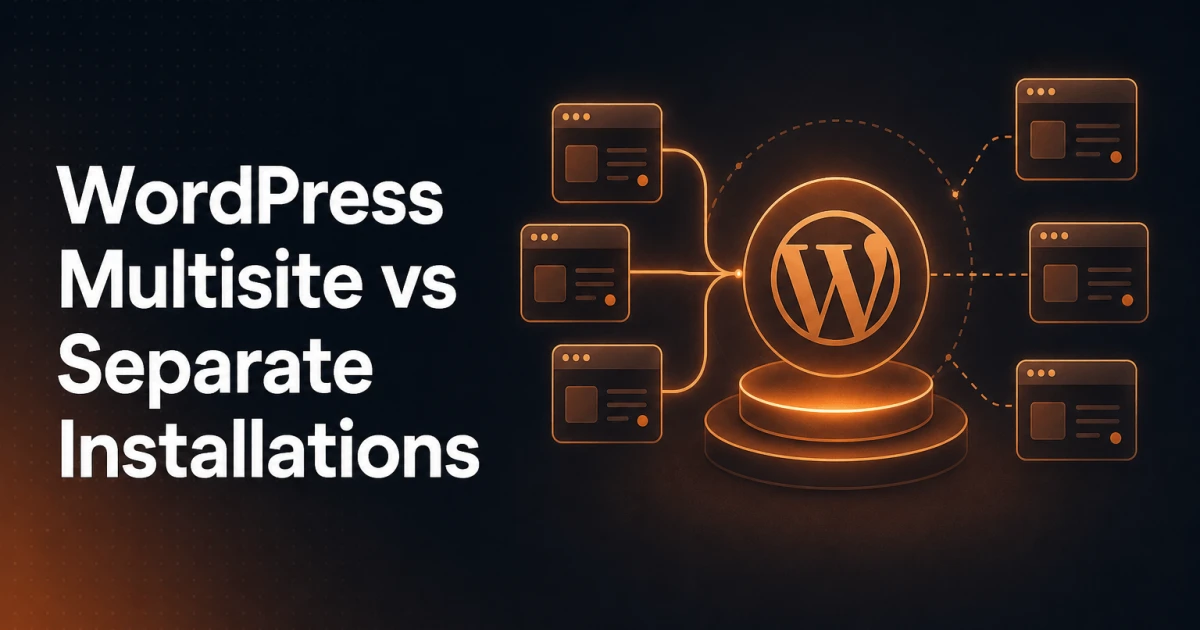
WordPress Multisite: One codebase, one database, one server environment, many logical sites managed through a network admin panel. Updates to WordPress core, plugins, and themes propagate across all sites from a single location.
Separate WordPress installations: Each site is its own independent WordPress instance with its own database, its own file system, its own plugin and theme versions, and its own update cycle. Sites share nothing by default, though they may share a server.
Managed WordPress with staging environments: Typically separate installs under managed hosting (WP Engine, Kinsta, Cloudways) where each site gets isolated resources, one-click staging, automated backups, and server-level caching. This is often the de facto choice for agencies managing client sites independently.
The third model is worth naming explicitly because it is increasingly how agencies operate at scale - not through Multisite, but through managed hosting platforms that abstract away much of the operational overhead that once made Multisite attractive.
The Case for Multisite
Multisite delivers genuine advantages in specific scenarios, and those advantages are meaningful enough to justify the complexity when the context is right.
Shared plugin and theme management is the most immediate operational benefit. A network admin installs a plugin once and can activate it across any or all sub-sites. When a security patch drops, there is one update to apply, not fifty. For organizations running dozens of sites with a consistent technical stack, this is not a minor convenience - it is a significant reduction in maintenance surface area.
Centralized user management allows users to hold roles across multiple sites within the network. A contributor on one sub-site can be elevated to editor on another without creating a separate account. For editorial organizations where writers publish across multiple verticals, this is a natural fit.
Cross-site content sharing becomes possible through plugins or custom development. Networks can syndicate content from a central hub to sub-sites, share taxonomy terms across the network, or aggregate content from multiple sites into a single stream. The shared database makes these queries structurally straightforward in ways that are genuinely harder to replicate across separate installs.
Consistent branding at scale is easier to enforce. A Super Admin can lock down theme selection so sub-site administrators cannot deviate from approved designs. For franchise structures or university systems where brand compliance matters, this level of control is difficult to replicate without Multisite.
The Costs of Multisite
Multisite's costs are not hypothetical. They surface predictably in production environments, and understanding them is essential before committing to the architecture.
Security blast radius is the most serious concern. In a separate-installs model, a compromised site is a compromised site. In Multisite, a vulnerability that reaches the Super Admin account or the shared file system can cascade across every site in the network simultaneously. The shared codebase that makes updates efficient also makes breaches systemic rather than isolated.
Plugin compatibility is a persistent operational headache. Not every plugin is Multisite-compatible. Some store options in wp_options without per-site scoping, causing data collisions across sub-sites. Others assume they are the only instance running and fail unpredictably in network mode. Vetting plugins for Multisite compatibility before deploying them network-wide adds meaningful overhead to every tooling decision.
Scaling individual sites is structurally constrained. If one sub-site in a network experiences a traffic spike, it shares server resources with every other site. Scaling the server scales all sites together, which is expensive and inefficient. Separate installs can be moved to higher-tier hosting, CDN-fronted independently, or load-balanced without affecting the rest of a portfolio.
Complexity compounds over time. Multisite adds network-level administration, per-site activation states, network-wide settings that override site-level settings, and a plugin ecosystem that requires explicit Multisite support. Debugging an issue that appears on one sub-site but not others - or network-wide - requires understanding all of these layers simultaneously. Developer onboarding is slower, and the operational mental model is more demanding.
Migration is painful in both directions. Extracting a sub-site from a Multisite network into a standalone WordPress installation requires careful database surgery, media file reorganization, and often manual intervention with tools like WP-CLI. The same friction applies when consolidating separate installs into a network. Neither direction is trivially reversible.
When Multisite Makes Clear Sense
The scenarios where Multisite genuinely earns its complexity share a common pattern: many sites that are architecturally similar, centrally administered, and not expected to diverge significantly in their technical requirements.
Large editorial networks - A media company running regional editions of a publication, where each edition shares the same theme, the same editorial plugins, and the same content workflow, is a natural Multisite candidate. The shared infrastructure matches the shared operational model.
Franchise and multi-location businesses - A franchisor providing each franchisee with a branded local site benefits from Multisite's centralized control. The parent organization controls the design and plugin stack; local administrators manage their own content without access to the underlying architecture.
University and school systems - Institutions running department sites, faculty pages, and program microsites under a central IT team use Multisite extensively. The governance model - central control of the platform, distributed content ownership - maps directly onto Multisite's permission structure.
SaaS-style WordPress products - Products that provision WordPress sites for end users (similar to WordPress.com) rely on Multisite as the foundational architecture. This is the use case Multisite was effectively designed to serve.
When Separate Installs Are the Better Choice
Separate installations are the right default for a wider range of scenarios than developers often assume, particularly when sites have divergent requirements, independent owners, or significant traffic variation.
Agency client work - When an agency manages sites for independent clients, Multisite creates dangerous coupling. A client's site going down, being compromised, or requiring an emergency plugin rollback should never affect another client's site. Separate installs - ideally on managed hosting - provide the isolation that professional client relationships require. A tested starter install, a version-controlled theme and a scripted setup with WP-CLI make spinning up new client sites fast, without the overhead of Multisite network management.
E-commerce sites - WooCommerce on Multisite is technically possible but operationally fraught. Payment gateways, inventory management, and order processing plugins often have poor Multisite compatibility. The transactional nature of e-commerce also means that shared database performance under load from one store can degrade checkout performance on another. Separate installs with dedicated resources are the safer architecture.
High-traffic sites requiring individual scaling - A site that needs its own CDN configuration, its own object cache, or its own server tier cannot get that granularity inside a Multisite network without significant custom engineering. Separate installs integrate cleanly with managed hosting autoscaling, edge caching, and infrastructure-as-code workflows.
Sites with divergent plugin stacks - If two sites in a network need different versions of the same plugin - or one needs a plugin that conflicts with another used elsewhere in the network - Multisite cannot accommodate that without workarounds. Separate installs have no such constraint.
SEO Implications Worth Noting
From an SEO perspective, Multisite and separate installs are largely equivalent - Google treats sub-sites as distinct websites regardless of the underlying architecture. However, there are practical differences. Domain mapping in Multisite adds configuration complexity that can introduce canonical URL issues if not handled carefully. Shared server resources in a Multisite network can affect page speed across all sites simultaneously, which has direct Core Web Vitals implications. Running a thorough technical audit with a tool like the SEO Analyzer on each sub-site after a Multisite migration is not optional - it is the only reliable way to catch canonical, redirect, and structured data issues that the migration may have introduced.
The Migration Path: Moving Between Architectures
Moving from separate installs to Multisite, or from Multisite back to separate installs, is possible but requires deliberate planning. Neither direction is a one-command operation.
Separate installs to Multisite: The recommended approach is to set up the Multisite network first, then import sites one at a time using the WordPress Importer or WP-CLI's wp site import workflows. Media files must be migrated separately since Multisite stores uploads in per-site directories under wp-content/uploads/sites/. User accounts must be reconciled - duplicate email addresses across installs cannot coexist in a single network without merging. Redirects from old URLs to new network URLs must be implemented and tested before decommissioning the old installs.
Multisite to separate installs: Extracting a sub-site requires exporting its content via the WordPress exporter, importing into a fresh standalone install, migrating the uploads directory, and re-establishing any network-level configurations (like user roles or plugin settings) at the site level. WP-CLI's wp db export with table filtering can help extract only the relevant prefixed tables for a cleaner migration. Plan for a testing window - sub-sites that rely on network-activated plugins will need those plugins installed and activated independently in the new environment.
In both directions, a staging environment is mandatory before cutting over to production. Your host's staging tool, or a copy made with WP-CLI's wp db export and wp search-replace, gives you a staging context where migration scripts can be validated without risk to live content.
A Decision Framework
The question to ask is not "which architecture is better?" but "which architecture matches the operational model of the people who will manage these sites long-term?"
Choose Multisite when: sites share a common purpose and owner, central governance of the platform is a feature rather than a constraint, the plugin and theme stack is standardized across sites, and the team has the technical depth to manage network-level administration.
Choose separate installs when: sites belong to independent clients or business units, e-commerce or high-traffic requirements demand isolated scaling, the plugin stack varies significantly between sites, or the operational priority is fault isolation over centralized management.
The managed hosting path - separate installs on platforms with strong DevOps tooling - has made the operational advantages of Multisite far less decisive than they were five years ago. Central update management, once a compelling reason to choose Multisite, is now a standard feature of managed WordPress hosting regardless of architecture. What Multisite still offers that no managed hosting platform can replicate is native cross-site data sharing, network-level permission structures, and the governance model that comes with a true Super Admin role. For organizations that genuinely need those capabilities, Multisite remains the right tool. For everyone else, separate installs with good tooling around them is the more resilient choice.