A well-structured FAQ page does something most content cannot: it answers specific questions at the exact moment someone types them into a search engine. That alignment between question and answer - when executed with proper schema markup - can translate into stronger topical authority and direct visibility in answer-driven search features. The catch is that "FAQ schema" has become one of the most misunderstood tools in the WordPress SEO toolkit, applied indiscriminately and often to little effect.
This guide covers what FAQ schema actually does, when Google shows it, how to write questions worth marking up, and how to implement the markup cleanly on a WordPress site - without inflating your expectations or your database.
Why FAQ Pages Have Genuine SEO Value
FAQ content earns its place in an SEO strategy for three distinct reasons, each worth understanding separately.
The first is long-tail query capture. Most informational searches are phrased as questions. "How do I migrate a WordPress site without downtime?" is a far more specific query than "WordPress migration," and it signals a searcher who is closer to taking action. A focused FAQ page targeting a cluster of related questions can rank for dozens of these variants simultaneously, drawing traffic that a single pillar article might miss entirely.
The second used to be rich result eligibility: FAQ markup could expand a listing with questions and answers directly beneath the page title. Google stopped showing FAQ rich results for all sites in May 2026, so today the value lies in the content itself and in describing it accurately, as the caveat further down explains.
The third is Answer Engine Optimization (AEO). As search engines increasingly synthesize answers rather than simply rank documents, structured content that directly addresses questions becomes more valuable. Pages with clear question-answer pairs are easier for AI-powered search features to parse, cite, and surface. This connects to the broader shift in how AI Overviews and generative search features consume and attribute content.
What FAQ Schema Markup Is and How Google Uses It
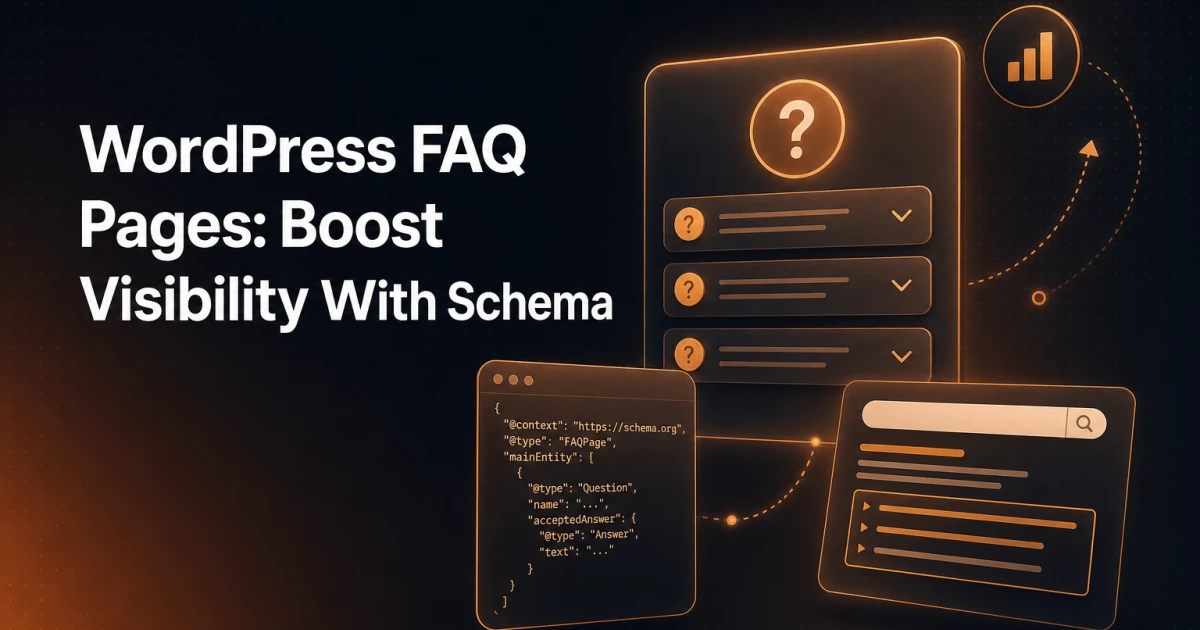
FAQ schema is a structured data vocabulary defined by Schema.org under the FAQPage type. It uses a list of Question entities, each containing an acceptedAnswer with the answer text. When embedded in a page as JSON-LD, it communicates directly to search engine crawlers: "this page contains a list of questions and their definitive answers."
Google reads this markup and uses it in two ways. First, it helps Google understand the content structure without relying solely on HTML parsing - the markup is unambiguous about what is a question and what is the corresponding answer. Second, it used to make the page eligible for FAQ rich results in Google Search, the expandable dropdowns beneath a listing. Google stopped showing those for all sites in May 2026.
It is worth being precise about what schema markup does not do: it does not guarantee a ranking improvement. Schema communicates structure and intent; it does not substitute for relevance, authority, or content quality. Google will not surface a poorly written FAQ just because it has valid markup. The markup unlocks eligibility - the content determines whether that eligibility translates into visibility.
For a broader view of how structured data fits into modern SEO strategy, the article on how structured data supports modern SEO covers the full landscape beyond FAQ schema alone.
Writing FAQs That Align With Search Intent
The most common mistake in FAQ content is writing questions the business wants to answer rather than questions people are actually asking. These two sets overlap less than most site owners assume.
Effective FAQ questions share several characteristics:
They match real search queries. Use Google Search Console, Google's autocomplete, and "People Also Ask" boxes to identify the exact phrasing searchers use. A question like "What is your return policy?" may be accurate for your business, but "How long does it take to get a refund?" is what someone actually types.
They are specific enough to have a definitive answer. Vague questions produce vague answers that satisfy neither users nor search engines. "How do I speed up my WordPress site?" is too broad. "Does adding plugins slow down WordPress?" has a clear, answerable scope.
They reflect the right stage of intent. FAQ pages work best for informational and consideration-stage queries. Transactional queries ("buy X plugin") belong on product pages, not FAQ sections.
They are genuinely distinct from one another. Repeating the same question with minor rewording adds no value and signals low-quality content to both users and crawlers.
Answer quality matters as much as question selection. Each answer should be self-contained - readable without needing to see the question again - and concise enough to be useful as a standalone snippet. Aim for 40 to 100 words per answer. Longer answers dilute the clarity that makes FAQ markup effective; shorter answers may lack the substance Google needs to trust the content as authoritative.
Implementation: Manual JSON-LD vs. a WordPress Plugin
There are two practical paths for adding FAQ schema to a WordPress site: writing the JSON-LD manually, or using a plugin that generates it for you.
Manual JSON-LD
Manual implementation gives you complete control. The markup is added to a page's <head> or inline using a <script type="application/ld+json"> block. A minimal, valid example looks like this:
{
  "@context": "https://schema.org",
  "@type": "FAQPage",
  "mainEntity": [
    {
      "@type": "Question",
      "name": "Does FAQ schema directly improve rankings?",
      "acceptedAnswer": {
        "@type": "Answer",
        "text": "No. FAQ schema helps search engines understand content structure, but it does not directly affect ranking position."
      }
    },
    {
      "@type": "Question",
      "name": "How many questions should an FAQ page have?",
      "acceptedAnswer": {
        "@type": "Answer",
        "text": "Between 5 and 10 well-chosen questions is typically more effective than a longer list of lower-quality entries. Quality and relevance matter more than volume."
      }
    }
  ]
}
The downside of manual implementation is maintenance. Each time a question or answer changes, the JSON-LD block must be updated separately from the visible page content. On a site with multiple FAQ sections across different pages, this quickly becomes error-prone. You can validate your output using the Schema.org Generator tool to check structure before deployment.
Using the Signocore FAQ Plugin
The Signocore FAQ Plugin takes a different approach. Rather than requiring you to manage JSON-LD separately, it ties the schema markup directly to the FAQ content you create inside WordPress. When you add or edit a question-answer pair through the plugin interface, the corresponding structured data is generated and injected automatically - keeping the visible content and the markup permanently in sync.
This matters more than it might initially seem. One of the most common causes of schema validation errors is a mismatch between what the markup says and what the page actually displays. Google's guidelines require that FAQ schema reflect content visible to users; markup that describes questions not present on the rendered page can result in manual actions or rich result suppression. A plugin that generates schema from the live content eliminates this class of error entirely.
The plugin also handles the structural details - proper nesting, correct entity types, and clean output - without adding unnecessary overhead to the database or the frontend. For teams managing multiple WordPress sites or agencies building FAQ sections at scale, this kind of automation is the difference between a reliable implementation and a maintenance burden.
Best Practices: Questions, Length, and Quality
A few concrete guidelines hold across most FAQ implementations:
Keep question count between 5 and 10. Google has historically shown up to three FAQ dropdowns in search results before collapsing the rest. A page with 30 questions does not earn 30 rich result entries. Prioritize the questions most likely to appear in search over completeness for its own sake.
Write questions as a user would ask them. This sounds obvious but is frequently violated. "Can I use Signocore FAQ with any WordPress theme?" is a user question. "FAQ Plugin Compatibility" is a heading, not a question.
Keep answers factual and complete within themselves. An answer that ends with "see our pricing page for details" is not a complete answer and will not serve well as a standalone snippet.
Avoid using FAQ schema on pages where the content is primarily transactional. Google's guidelines specifically discourage FAQ markup on pages whose primary purpose is advertising or selling. Misapplication here can result in the markup being ignored or penalized.
Update FAQ content when answers change. Stale answers - particularly for time-sensitive topics like pricing, policies, or technical requirements - damage trust and can create discrepancies between the schema and the visible page.
The Honest Caveat: Google No Longer Shows FAQ Rich Results
In August 2023, Google limited FAQ rich results to well-known government and health websites. On May 7, 2026, it stopped showing them for every site, and in June it removed the FAQ documentation and the Search Console report. FAQ schema no longer changes how your listing looks in Google Search.
This does not make FAQ schema worthless, but it does change the calculus. The case for implementing FAQ markup today no longer rests on rich results. It rests on the following:
Structured content is still easier for Google to parse and attribute correctly. Even without a rich result, well-structured FAQ content is more likely to appear in featured snippets and AI Overviews, where question-answer pairs are a natural fit for synthesis.
FAQ pages built around genuine user questions drive organic traffic regardless of schema. The content strategy - targeting specific long-tail queries with direct answers - has independent value that predates and outlasts any particular SERP feature.
Schema markup is a signal, not a guarantee. Implementing it correctly costs little with the right tooling, and the downside of having valid, accurate markup is essentially zero.
The practical conclusion: build FAQ pages because they serve users and capture specific queries. Implement schema markup because it is a low-cost, accurate signal to search engines. Do not build a content strategy around FAQ rich results in Google: they are gone.
For a technical audit of how your existing pages are handling structured data and on-page signals, the SEO Analyzer provides a free in-depth review covering schema implementation alongside performance, mobile, and technical factors - giving you a complete picture of where structured data fits within your broader SEO health.
FAQ schema, used honestly and implemented cleanly, remains a worthwhile part of a WordPress SEO toolkit. The sites that benefit most are those that treat it as one layer of a well-structured content strategy - not a shortcut to search visibility, but a precise signal that reinforces content built to genuinely answer the questions their audience is asking.