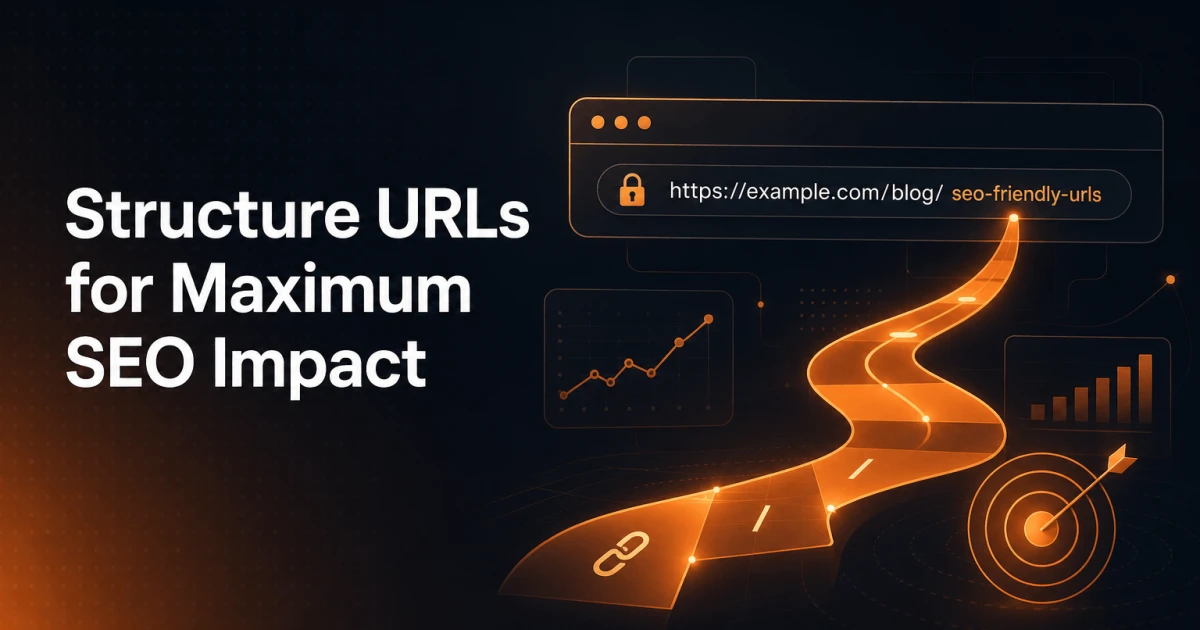
A URL is the most visible signal on any page - seen before the title, before the meta description, before a single word of content. Yet most WordPress sites ship with URL structures that were never deliberately chosen, carrying default patterns, stop words, and unnecessary nesting that quietly work against every other SEO effort on the site. Getting URL structure right is one of the highest-leverage, lowest-maintenance decisions you can make.
Why URL Structure Matters for SEO
URLs affect SEO through three distinct mechanisms that are worth separating clearly.
Crawlability. Googlebot follows links and builds a mental map of your site's architecture from URL patterns. Deeply nested paths - /blog/category/subcategory/year/month/post-title/ - push content further from the root domain, increasing crawl depth and reducing the likelihood that all pages get crawled within a given crawl budget. Flat, logical URL structures keep content closer to the root and make the site's hierarchy legible to crawlers without requiring a sitemap to explain it.
User signals. A URL appears in search results, in browser address bars, and in link previews. A descriptive URL like /wordpress-security-hardening-checklist tells a user exactly what they're about to read. A URL like /?p=4821 tells them nothing. Click-through rate is influenced by URL readability - users are more likely to click a result whose URL confirms the relevance of the page they're about to visit.
Link equity inheritance. When external sites link to your content, the anchor text and the URL path both carry contextual weight. A URL that includes the primary keyword reinforces topical relevance. More importantly, links to a page at /seo-checklist concentrate equity on a single canonical URL. When the same content is accessible at multiple URLs - due to parameter variants, trailing slash inconsistencies, or HTTP/HTTPS duplicates - that equity gets split across versions unless canonicalisation is handled correctly.
URL Best Practices That Hold Up Over Time
The following are not opinions - they reflect how Google's URL canonicalisation logic, HTTP specifications, and user behaviour research converge.
Always use lowercase. URLs are case-sensitive at the server level.
/SEO-Guideand/seo-guideare technically different URLs and can create duplicate content if both resolve. WordPress generates lowercase slugs by default, but manually entered URLs, redirects from old CMS migrations, and CDN configurations can introduce mixed-case variants. Enforce lowercase consistently.Use hyphens, not underscores. Google treats hyphens as word separators. Underscores are not treated as separators, meaning
seo_guideis read as a single token rather than two words. This is a documented, long-standing behaviour - use hyphens in all slugs.Keep slugs descriptive and keyword-relevant. The slug should reflect the primary topic of the page.
/url-structure-seois better than/article-12and better than/how-to-structure-your-urls-for-the-best-possible-seo-results-in-2025. Three to five words is a practical target for most content pages.Avoid excessive nesting. Each additional path segment adds crawl depth and URL length.
/blog/2024/11/technical-seo/url-structureis harder to manage, harder to link to, and offers no SEO benefit over/url-structure-seo. Flat structures perform better in practice.Remove date segments from evergreen content. Dates in URLs signal to users - and arguably to crawlers - that content may be stale. For evergreen guides, tutorials, and reference pages, dates in the URL are a liability rather than an asset.
WordPress Permalink Settings: Choosing the Right Structure
WordPress ships with a default permalink structure of /?p=123 - a query-string-based URL that carries no topical information and makes every page look identical to a crawler except for the numeric ID. This default should be changed immediately on any new WordPress installation.
Under Settings > Permalinks, WordPress offers several built-in options. The two worth considering for most sites are:
Post name (
/%postname%/). The cleanest option for most sites. URLs are flat, slug-driven, and contain only the content you define. This is the recommended structure for blogs, service sites, and most content-driven WordPress installations.Custom structure with a category prefix (
/%category%/%postname%/). Useful when the site architecture genuinely benefits from category hierarchy in URLs - typically large editorial sites or e-commerce stores with well-defined taxonomies. The trade-offs are discussed in the next section.
Avoid the /year/month/day/postname/ and /year/month/postname/ structures for content that is not time-bound. News sites and publication archives are reasonable exceptions, but for most WordPress sites, date-based permalinks create long URLs and make content feel outdated faster than it actually is.
One important practical note: changing your permalink structure on an existing site is a significant operation that requires careful redirect planning. WordPress will update internal links automatically, but external links, bookmarks, and cached URLs in Google's index will all point to the old structure. Set up 301 redirects before making any permalink changes on a live site.
Category Slugs in URLs: The Ongoing Debate
Including category slugs in URLs - for example, /seo/url-structure-guide versus /url-structure-guide - is a decision with genuine trade-offs, not a clear-cut best practice.
The case for including categories: Category prefixes reinforce topical clustering, can improve click-through rates when the category name aligns with user intent, and create a navigable URL hierarchy that mirrors the site's information architecture. For large sites with hundreds of posts across distinct verticals, the hierarchy can help users and crawlers understand content organisation.
The case against: Including a category slug means that if you ever reorganise your taxonomy - merging categories, renaming them, or moving a post - every URL for every affected post changes. That triggers a redirect chain for every post. It also makes URLs longer, and posts that belong to multiple categories can create duplicate URL variants if WordPress is not configured to use a single canonical category per post.
For most small-to-medium WordPress sites, the post name structure without category prefixes offers the better balance of simplicity, flexibility, and SEO performance. Sites with deep, stable taxonomies and editorial discipline around category assignment are the cases where category-in-URL structures can pay off.
When to Change a URL - and How to Do It Safely
Changing a URL that already has backlinks, indexed rankings, or internal links is a meaningful operation. Done carelessly, it can erase months of accumulated link equity. Done correctly, it transfers that equity to the new URL with minimal loss.
The mechanics are straightforward: implement a 301 (permanent) redirect from the old URL to the new one. A 301 tells both browsers and search engines that the resource has permanently moved, and Google passes the majority of link equity through 301 redirects. A 302 (temporary redirect) does not reliably transfer equity and should not be used for permanent URL changes.
After implementing the redirect, update the canonical tag on the new URL to point to itself - <link rel="canonical" href="https://example.com/new-url/" />. This removes any ambiguity about which URL is the intended indexable version. You can verify that the new URL is being indexed correctly using the SEO Analyzer, which surfaces canonicalisation and indexability signals as part of its technical audit.
Update all internal links pointing to the old URL. Redirect chains - where URL A redirects to URL B which redirects to URL C - dilute equity and slow crawling. Every internal link should point directly to the final destination URL.
Be patient. Google may take days to weeks to fully re-index the new URL depending on crawl frequency, and rankings can fluctuate during the transition. This is expected behaviour, not a sign that the redirect failed.
URL Parameters: When to Canonicalise, When to Disallow
URL parameters - the ?key=value strings appended to URLs - are a common source of duplicate content and crawl waste in WordPress. They appear in faceted navigation, session tracking, analytics tagging, search result pages, and pagination.
Parameters fall into roughly two categories for SEO purposes:
Parameters that change page content meaningfully - such as
?color=redon a product page or?page=2on a paginated archive. These create genuinely different content at different URLs and need explicit handling. Use canonical tags to point paginated or filtered variants back to the primary URL, or configure Google Search Console's URL Parameters tool to indicate how specific parameters should be treated.Parameters that add no content value - UTM tracking parameters (
?utm_source=newsletter), session IDs, and click-tracking tokens. These create hundreds of duplicate URLs in Google's index. Canonical tags on the base URL handle this automatically for most cases, but for high-traffic sites, adding aDisallowrule inrobots.txtfor specific parameter patterns can reduce crawl waste. The robots.txt Generator makes it straightforward to build and validate these rules without editing raw files manually.
WordPress itself generates parameter-based URLs for search results (/?s=query) and for certain archive pages. These should be canonicalised or blocked from indexing, as they rarely provide content worth ranking and can dilute crawl budget on larger sites.
Common WordPress URL Mistakes
A few patterns appear repeatedly on WordPress sites that have never had their permalink structure deliberately reviewed.
The default /?p=123 structure. As noted above, this is the out-of-the-box WordPress default. It provides zero topical signal, looks unprofessional in search results, and offers no crawlability advantage. Change it on day one.
Stop words left in slugs. WordPress auto-generates slugs from post titles, which means a post titled "How to Write a Better Meta Description" becomes /how-to-write-a-better-meta-description. The words "how", "to", "a", and "better" are function words that add URL length without adding topical specificity. A cleaner slug would be /write-better-meta-descriptions. Always edit the auto-generated slug before publishing.
Overly long URLs. URLs longer than 60-75 characters get truncated in search result displays, cutting off the most descriptive part of the path. Long URLs also suggest over-nesting or failure to edit auto-generated slugs. Keep slugs short, specific, and stripped of unnecessary words.
Inconsistent trailing slashes. /seo-guide and /seo-guide/ are technically different URLs. WordPress typically enforces consistent trailing slash behaviour through its rewrite rules, but server configurations, CDN rules, and custom redirects can introduce inconsistencies. Audit for this with a site crawl and enforce a single canonical form via 301 redirects.
Uppercase characters in slugs. Often introduced through imports, migrations from other platforms, or manual URL entry. Enforce a lowercase-only policy and audit for uppercase variants using a crawler or the SEO Analyzer.
Putting It Into Practice
URL structure is one of the few SEO factors that touches every single page on a site simultaneously. A poor permalink choice made at launch compounds across every post, every category, every tag page, and every internal link written over the site's lifetime. The right structure, set early and maintained consistently, requires almost no ongoing attention - it simply works, cleanly passing equity, signalling relevance, and supporting the technical SEO work built on top of it.
For sites that are already live with suboptimal URL structures, the path forward is methodical: audit the current state, prioritise the pages with the most link equity and traffic, implement 301 redirects from old to new URLs, update internal links, and verify canonicalisation. The broader technical SEO picture - schema markup, Core Web Vitals, indexability signals - all perform better when the URL foundation underneath them is solid.