The moment most site owners think seriously about leaving their translation plugin is renewal day. An invoice arrives for another year of WPML or Polylang Pro, multiplied across every site you maintain, and the question surfaces: is this still worth it? For many people the honest answer is "probably not, but switching sounds terrifying." Years of translated content feel like a hostage. Break the language links, and a decade of careful multilingual work collapses into an unsorted pile of posts.
That fear was justified once. It is mostly outdated now. Translation data is more portable than it looks, a modern importer can reconnect existing translations without touching the content itself, and a compatibility layer can even keep WPML-specific theme code running after WPML is gone. This guide covers what a translation-plugin migration actually involves, what can genuinely go wrong, and how to switch cleanly - using the built-in importer in Signocore Multilanguage as the concrete example.
Why Site Owners Switch in the First Place
It is worth being fair here: WPML and Polylang are competent, mature products. Hundreds of thousands of multilingual sites run on them, and both handle the core job of managing content in multiple languages reliably. The friction is rarely technical. It is the pricing model over time.
WPML has no free tier, and its plans renew annually - from €39 per year for a single blog up to €199 per year for the agency tier - for as long as the site needs updates, with renewals at 25 percent off what you first paid. Polylang offers a limited free version, but Polylang Pro starts at €99 for one site and scales to €495 for 25 sites, with no unlimited option at all, and renews each year at half the list price. For a freelancer or agency maintaining ten client sites, translation licensing quietly becomes a four-figure annual line item. It is a recurring tax on work that was finished years ago.
The second driver is feature gating. Integrations that feel essential on a real project - WooCommerce translation, page-builder support, SEO plugin compatibility - tend to live in higher tiers or paid add-ons, so the effective price is often higher than the sticker price. If you are still weighing the two incumbents against each other rather than planning an exit, the detailed breakdown in WPML vs Polylang covers that decision from the start. This article is for the moment after that one: you have decided to move, and you want your translations to survive the trip.
What a Translation Migration Actually Involves
The single most reassuring fact about switching translation plugins is this: your translations are regular WordPress posts. A Danish version of an English page is not stored in some proprietary vault. It sits in the same database table as every other post on your site. What differs between plugins is the metadata around those posts - how each one is assigned a language, and how the plugin records that post 42 in English and post 87 in Danish are versions of the same page. WPML keeps those relationships in its own database tables; Polylang models language as a hidden taxonomy. The content itself is never the hard part.
A complete migration therefore needs to carry over a specific inventory:
Language assignments. Every post, page, and custom post type needs to keep its language label.
Translation relationships. The links that say which posts are counterparts of each other across languages. This is the piece people are most afraid of losing.
Taxonomies and menus. Categories, tags, and navigation menus typically exist per language and are related the same way posts are.
String translations. Interface text from your theme and plugins - button labels, footer text, form messages - translated outside the post editor.
URL structure and hreflang. Whether your languages live in directories, subdomains, or separate domains, the structure needs to survive, and the hreflang annotations that tell search engines about your language versions need to keep flowing without interruption.
Once you see the migration as this inventory rather than as one monolithic scary event, it becomes a checklist you can verify item by item.
What Can Actually Go Wrong
An honest guide has to include this section, because the risks are real even if they are manageable.
Orphaned translations. If language relationships are imported incompletely, translated posts still exist but are no longer connected to their counterparts. The content is not lost, but the language switcher and hreflang output break until the posts are relinked.
Changed URL structures. If the new plugin builds language URLs differently than the old one, every translated page can move to a new address at once. Unhandled, that means a wall of 404s and a ranking drop. The mechanics of catching and redirecting these are covered in the guide to handling 404 errors and 301 redirects.
Hreflang gaps. In the window between deactivating the old plugin and finishing the import, your pages briefly stop announcing their language versions. Search engines tolerate short gaps, but the window should be minutes, not weeks.
Theme code written against WPML. Themes and plugins built for WPML sites often call WPML functions and filters directly. Remove WPML and that code fails silently or fatally. This is the risk that genuinely blocks migrations, and it deserves its own section below.
All of these share one mitigation: take a complete backup - database and files - before you touch anything. And when the time comes, deactivate the old plugin rather than deleting it. Its data stays in the database while deactivated, which is exactly what the importer needs, and it means you can reactivate and be back where you started in one click if anything looks wrong.
Step by Step: Migrating with a Built-In Importer
The concrete walkthrough below uses Signocore Multilanguage, which ships its WPML and Polylang importer in the free version. The sequence matters, so treat it as ordered.
1. Back up, then deactivate the old plugin
Full backup first, always. Then deactivate WPML or Polylang from the Plugins screen. Do not delete it, and do not use any "remove all data on uninstall" option. The translation metadata must remain in the database for the importer to read.
2. Install Signocore Multilanguage
Install and activate the plugin. When it detects existing WPML or Polylang data in the database, an Import screen appears under the Signocore ML menu. You do not have to hunt for a hidden migration tool or buy a separate bridge plugin.
3. Review what was found before anything is written
This is the step that separates a modern importer from a leap of faith. The Import screen shows exactly what it found - which languages, which translated content, which relationships - before a single database row is written. Read it. If the numbers look wrong, stop here with your site unchanged and investigate.
4. Run the import
The importer adds your languages and reconnects your existing translations. Your content is never modified: posts are not rewritten, and nothing is duplicated. The import re-establishes the language assignments and relationships around the content that is already there.
5. Re-scan your strings
One honest limitation: Polylang string translations are not imported. Interface strings - the theme and plugin text translated outside the editor - need to be re-entered or re-scanned in the new string translation interface. On most sites this is an afternoon of copy work, not a rewrite, but budget for it.
The Theme-Code Problem, Solved by a Compatibility Layer
The classic migration blocker is not content at all. It is the accumulation of WPML-specific code in themes and plugins: template logic that asks WPML for the current language, or for the translated ID of a post, or for the list of active languages to render a custom switcher. Code like this is everywhere on long-lived multilingual sites:
// Typical WPML-dependent theme code
$translated_id = apply_filters('wpml_object_id', $post_id, 'post', true, 'da');
$current_lang  = apply_filters('wpml_current_language', null);
Historically, migrating away from WPML meant auditing every template and rewriting these calls. Signocore Multilanguage takes a different approach: it implements a WPML compatibility layer that recognizes the same action hooks and filters WPML uses - wpml_object_id, wpml_current_language, wpml_active_languages, wpml_permalink, and more. Themes and plugins built for WPML keep working unchanged, because the calls they make are answered by the new plugin. A site that has been built around WPML for years can switch without a theme rewrite.
Verify Before You Celebrate
After the import, work through the inventory from earlier and confirm each item. Spot-check a handful of posts and pages in every language and confirm the language switcher takes you to the correct counterparts. View the source of a few translated pages and check the hreflang annotations; each version should reference all the others plus itself, following the practices in the guide to hreflang tags for international SEO. Confirm your per-language sitemaps are generating, and resubmit them in Google Search Console so recrawling starts promptly. Then watch your 404 logs for a week or two; a trickle of odd URLs is normal on any site, but a spike of missing translated pages means a relationship or URL mismatch that needs a redirect or a relink. Keep the backup and the deactivated old plugin around until you are satisfied, and only then remove them.
What Happens to Your Search Rankings
The short answer: if your URL structure stays the same, search engines barely notice the change. Rankings belong to URLs and the content that lives at them, not to the plugin that manages the language metadata. Keep the same directory structure and permalinks through the migration, and there is nothing for a crawler to re-evaluate beyond the usual churn. The same principle governs bigger moves, as covered in the guide to migrating a WordPress site without losing SEO rankings: preserve URLs where you can, redirect precisely where you cannot.
If you do want to change URL strategy - say, moving from directories to country domains - treat that as a separate project after the plugin migration has settled, with a full redirect map of its own. Changing the translation plugin and the URL scheme on the same day makes any problem twice as hard to diagnose.
The Renewal Math
The fear that keeps sites paying annual translation licenses is the fear of losing translations. Once an importer shows you exactly what it found before writing anything, reconnects your existing translations without modifying content, and a compatibility layer keeps your WPML-built theme code running, that fear stops being a business model.
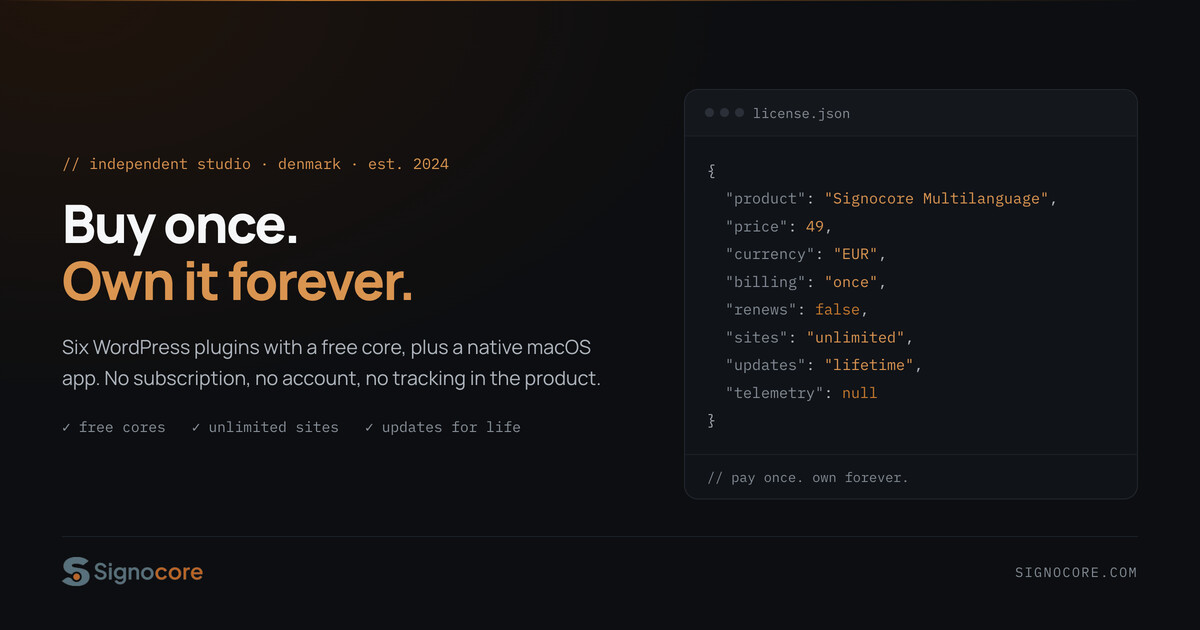
The arithmetic that started this article then gets to finish it. Signocore Multilanguage Pro is €49 once, for unlimited sites you own, with lifetime updates - against €39 to €199 a year for WPML or €99 to €495 a year for Polylang Pro, both cheaper on renewal but never finished. For a single site the difference is noticeable within a year or two. Across an agency portfolio it is the difference between a rounding error and a budget line. Your translations were always yours. Moving them is now a checklist, not a gamble.