Google stopped rewarding plain blue links years ago. The sites that dominate the SERP today have star ratings under their titles, prices and stock status on product results, and breadcrumb trails where a raw URL used to be. The technical layer behind all of it is schema markup, and for WordPress site owners, setting it up correctly is one of the most direct paths to a visibly stronger search presence.
This guide walks through what schema markup is, which types matter most for WordPress sites, and the two practical ways to implement it: using Signocore's free schema generator tool, or letting the Signocore SEO plugin handle it automatically.
Why Schema Markup Is Not Optional in 2026
Structured data is a method of annotating web content in a format search engines can parse precisely. Rather than leaving Google to infer what a page contains from its prose, schema markup tells the engine explicitly: this is a product, it costs $49, it has 4.6 stars from 213 reviews, and it is currently in stock.
The vocabulary for that language comes from Schema.org, a shared standard maintained by Google, Microsoft, Yahoo, and Yandex. The preferred format for encoding it is JSON-LD, a lightweight JavaScript notation that lives in a <script> tag in the page's <head> and has no effect on the visible page content.
The case for structured data sharpened considerably when Google confirmed in 2025 that its AI Overviews pull heavily from schema markup to generate accurate summaries and surface relevant content. Pages without it are harder for the system to parse and less likely to appear in those AI-generated answers. Combined with the persistent click-through rate lift that rich results produce over standard listings, structured data has moved from a technical nicety to a practical requirement for anyone serious about organic search visibility.
The Schema Types That Matter Most for WordPress
Different schema types unlock different rich results. These six are the most relevant for WordPress sites across content, commerce, and local business use cases.
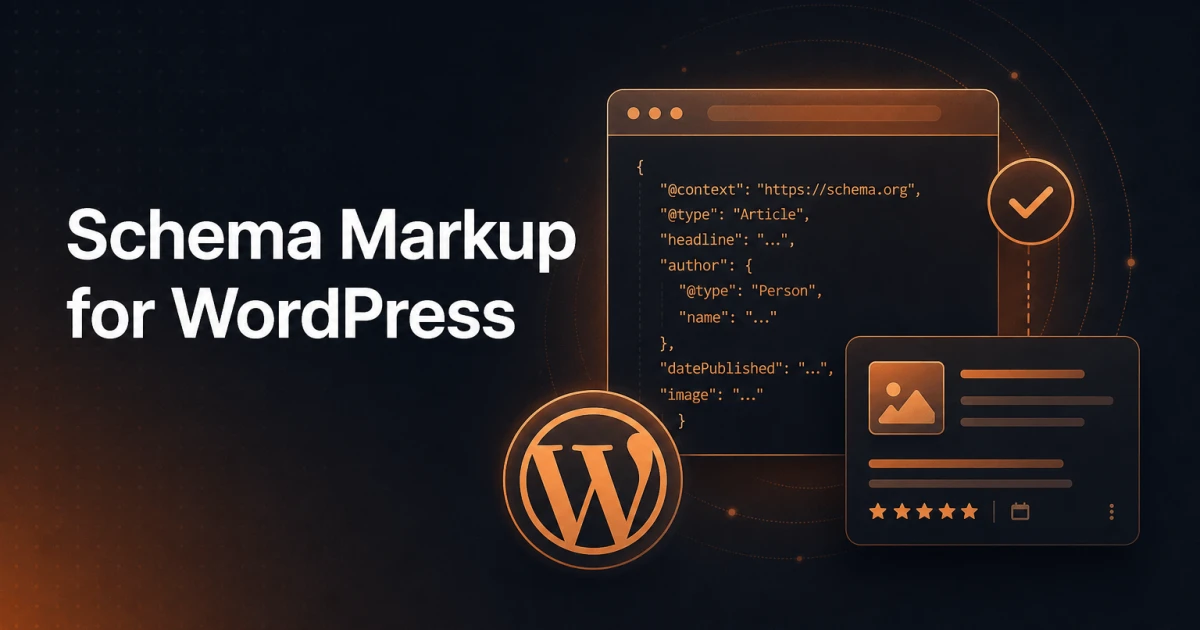
Article is the baseline for any WordPress site that publishes editorial content. It marks up the headline, author, publication date, and featured image in a format Google uses to surface articles in news features and topic-based search results.
FAQPage describes question-and-answer content. Google stopped showing FAQ rich results for all sites in May 2026, so the markup no longer changes how a listing looks in Google, but it still describes your content accurately for other search engines and tools. Use it only where the questions and answers are visible on the page.
HowTo describes step-by-step tutorial content. Google retired HowTo rich results in 2023, so it is no longer worth prioritizing for Google Search, though the vocabulary is still valid Schema.org.
Product is the core schema type for WooCommerce and any e-commerce build. It surfaces price, availability, and aggregate review rating in the SERP, giving shoppers the key decision-making information before they click.
LocalBusiness communicates address, phone number, opening hours, and geographic coordinates to Google. For any WordPress site representing a physical location, this type supports both map-based results and Knowledge Panel entries.
BreadcrumbList tells Google how a page sits within the site hierarchy. Google replaces the raw URL in the SERP with a readable breadcrumb trail, which improves user orientation and click confidence.
A Note on Format
Schema markup can technically be written in three formats: JSON-LD, Microdata, and RDFa. Google recommends JSON-LD for all new implementations, and it is the format both Signocore tools use. Unlike Microdata and RDFa, which require wrapping the visible HTML content itself, JSON-LD sits in a separate script block and can be added or updated without touching the page structure. A detailed comparison of all three formats will be covered in a separate article.
Path One: Build Schema Markup with the Free Generator
For developers, site owners who want to inspect what their markup looks like before deploying it, or anyone managing a site where direct plugin installation is not an option, Signocore's Schema.org Generator is a clean starting point.
The tool runs entirely in the browser with no account required. You select one of ten schema types - Article, Local Business, Product, FAQ Page, Person, Organization, Event, Recipe, HowTo, or Breadcrumb List - and fill in the relevant fields. The JSON-LD output updates live as you type, so you can see the structured data taking shape before copying it anywhere.
When you are done, you can copy either the raw JSON-LD or the complete <script> tag ready to paste into your page's <head>. For WordPress, that means pasting the output into your theme's functions.php via the wp_head hook, or dropping it into a header script field if your theme or a utility plugin exposes one.
Here is what a Product schema block generated by the tool might look like once it is wired into functions.php:
php
function add_product_schema() {
    if ( is_product() ) {
        echo '<script type="application/ld+json">
{
  "@context": "https://schema.org",
  "@type": "Product",
  "name": "WordPress SEO Plugin Pro",
  "description": "Complete SEO autopilot for WordPress.",
  "offers": {
    "@type": "Offer",
    "price": "199.00",
    "priceCurrency": "EUR",
    "availability": "https://schema.org/InStock"
  }
}
</script>';
    }
}
add_action( 'wp_head', 'add_product_schema' );
The generator approach is well suited for building schema for a handful of specific pages, for testing markup against the Rich Results Test before committing it to production, and for generating the JSON-LD that feeds a custom implementation on non-WordPress projects.
Path Two: Automatic Schema with Signocore SEO
For WordPress sites where schema needs to apply consistently across post types at scale, the Signocore SEO plugin handles generation and output automatically, without writing a line of JSON-LD.
The free version covers the fundamentals. Breadcrumb schema and WebPage markup are applied automatically without any configuration. This alone removes one of the most commonly missing schema types from WordPress sites, and it requires nothing beyond activating the plugin.
The Pro version - a one-time license at €69 with no subscription - extends automatic schema coverage to 11 or more types. Article schema is applied to posts, Product schema to WooCommerce listings, FAQPage markup where applicable, and the full breadcrumb chain throughout the site. All of it is generated from content already present in WordPress: post titles, authors, prices, review ratings, and category hierarchies. There is no per-post JSON-LD entry.
The Pro tier also bundles IndexNow instant indexing, which notifies search engines automatically on publish, and AI-generated meta tags powered by your choice of OpenAI or Anthropic's Claude. Schema markup, metadata, and indexing signals are handled from a single plugin rather than across three or four separate tools. The license covers unlimited sites, which is relevant for agencies and freelancers managing multiple WordPress installations.
For sites already running WooCommerce or publishing articles at any meaningful volume, the Pro tier pays for itself quickly in schema coverage and time saved.
Testing Your Implementation
Deploying schema without validating it is a common and avoidable mistake. Two tools belong in every schema workflow.
Google's Rich Results Test (search.google.com/test/rich-results) accepts a URL or a raw code snippet and returns a clear verdict: eligible for rich results or not, along with a list of detected schema types and any errors or missing required properties. Run this on every template type where schema has been added or modified. The Schema.org Generator makes this loop fast - build in the generator, paste into the test, fix any issues, then deploy.
Google Search Console provides ongoing coverage across the whole site. The Enhancements section groups pages by schema type and surfaces errors, warnings, and valid item counts over time. If a template change removes a required field, Search Console catches it within a few days of the next crawl.
One important note: a clean result in the Rich Results Test means your markup is valid and eligible - not that Google will display rich results for every qualifying page. Markup accuracy is the necessary condition. Content quality, site trust, and relevance signals determine whether Google chooses to render the enhancement.
The Long-Term Return on Getting Schema Right
Schema markup has a compounding quality that most technical SEO investments do not. Done once at the template level - either through Signocore SEO's automatic generation or via the Schema.org Generator feeding a custom implementation - it applies to every page that template produces, including pages that do not exist yet.
The click-through rate advantage from rich results is persistent. A product listing with star ratings and price visibility consistently outperforms a plain link in the same position. A breadcrumb trail that replaces a raw URL signals navigational clarity. Each of these effects accumulates over the life of the site.
Structured data is also the layer through which AI-driven search features understand your content now. Getting it right today means your pages are already positioned correctly as those features expand, rather than needing to retrofit it when the opportunity has already passed.
The generator is free. The plugin has a free tier. The only real cost is doing it properly the first time.