Every time someone shares a link on Facebook, LinkedIn, or Slack, a decision is made in milliseconds: which image to show, what headline to display, and whether the preview looks trustworthy enough to click. That decision is not made by the platform - it is made by the tags you put in your HTML. Without Open Graph tags, platforms make their own guesses, and those guesses are almost always wrong.
What Open Graph Is - and Why Facebook Created It
Open Graph (OG) is a protocol originally developed by Facebook in 2010. Its purpose was straightforward: give website owners a standardized way to control how their pages appear when shared on social networks. Before OG, platforms scraped whatever content they could find - often pulling the wrong image, a truncated paragraph, or a generic site title instead of the page title.
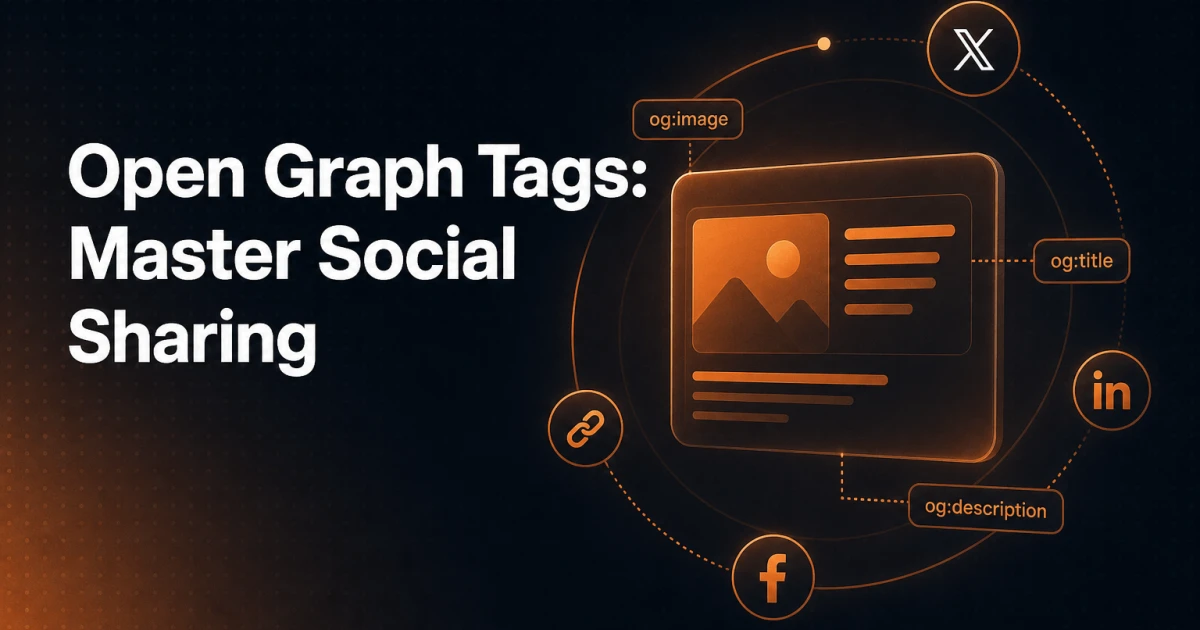
The protocol works by embedding structured metadata into the <head> section of a page using <meta> tags with a property attribute in the og: namespace. Facebook built it, but it was rapidly adopted across the web - LinkedIn, Pinterest, Slack, Discord, WhatsApp, and most other platforms that generate link previews now read OG tags as their primary metadata source.
The Open Graph protocol is formally documented at ogp.me and follows RDFa conventions, though in practice you only need to understand a handful of tags to cover the vast majority of use cases.
The Essential Open Graph Tags
Five tags form the foundation of any OG implementation. Getting these right covers you across every major platform.
og:title
This is the headline displayed in the social card. It does not need to match your page's <title> tag or your H1 - in fact, it often should not. A meta title is optimized for search engine result pages; an OG title should be optimized for social sharing, where curiosity and emotional resonance matter more than keyword placement. Keep it under 60-70 characters to avoid truncation on most platforms.
og:description
The short description shown beneath the title in a link preview. This is separate from your meta description and should be written for a social audience - someone scrolling a feed rather than scanning search results. Aim for 100-200 characters. Longer text will be truncated, and the truncation point varies by platform.
og:image
The single most impactful OG tag. A compelling, correctly sized image dramatically increases click-through rate on shared links. If this tag is missing, platforms fall back to whatever image they find first on the page - which could be a tiny icon, an unrelated sidebar image, or nothing at all. This tag must point to an absolute URL, not a relative path.
og:url
The canonical URL of the page. This tells platforms which URL to associate the share count with, preventing fragmented engagement metrics when the same content is accessible via multiple URLs (with or without trailing slashes, HTTP vs HTTPS, etc.).
og:type
Describes the type of content. The most common values are website for general pages and article for blog posts. Using article unlocks additional OG tags like article:published_time, article:author, and article:section, which some platforms use to display richer previews.
A complete minimal implementation looks like this:
<meta property="og:title" content="The Complete Guide to Open Graph Tags" />
<meta property="og:description" content="Learn how to control your social previews with Open Graph tags - from essential tags to image dimensions and WordPress implementation." />
<meta property="og:image" content="https://example.com/images/og-open-graph-guide.jpg" />
<meta property="og:url" content="https://example.com/open-graph-tags-social-sharing/" />
<meta property="og:type" content="article" />
Twitter/X Card Tags - A Parallel System
Twitter (now X) did not adopt the Open Graph protocol when it launched its own link previews. Instead, it created Twitter Cards, a separate metadata system using name attributes rather than property attributes. The two systems coexist in the same <head> block and serve the same purpose, but they are read independently.
The four Twitter Card tags that matter most are:
twitter:card - Defines the card type. The most common value is
summary_large_image, which displays a large banner-style image preview. Usingsummaryinstead shows a small square thumbnail. This tag is required for Twitter Cards to render correctly.twitter:title - The headline for the card. If this tag is absent, Twitter falls back to
og:title, so you only need to specify it when you want a Twitter-specific headline.twitter:description - Same fallback behavior as the title - Twitter reads
og:descriptionif this tag is missing.twitter:image - Twitter's own image tag. It falls back to
og:imageif absent, but specifying it explicitly gives you control over Twitter-specific crops or aspect ratios.
In practice, the minimum addition you need beyond your OG tags is a single line:
<meta name="twitter:card" content="summary_large_image" />Twitter reads the rest from your OG tags. Adding twitter:site with your Twitter handle is worthwhile if you want attribution in the card, but it is optional for the preview to function.
OG Image Best Practices
The image is where most implementations fail - either through wrong dimensions, excessive file size, or images that look fine on desktop but get awkwardly cropped on mobile.
Dimensions and aspect ratio
The universally recommended OG image size is 1200 x 630 pixels, which produces a 1.91:1 aspect ratio. This ratio is natively supported by Facebook, LinkedIn, and Twitter's summary_large_image card. Smaller images (below 600px wide) may not render as large previews on Facebook and will display as small thumbnails instead. The minimum Facebook requires for a large preview is 600 x 315px, but 1200 x 630px gives you the 2x resolution needed for retina displays.
File size
Keep OG images under 1MB - ideally under 300KB for fast loading. Social platforms cache images after the first crawl, but large images slow down that initial fetch and can cause timeouts that result in no image being displayed. JPEG is the right format for photographic OG images; PNG works better for images with text overlays and flat graphics. You can compress images without visible quality loss using a tool like the Image Compressor before uploading.
Text on images
Overlaying your page title or key message on the OG image is effective - it reinforces the headline and makes the card more scannable in a feed. Keep text to the central 80% of the image to avoid it being cropped on platforms with slightly different rendering. Use high-contrast text and avoid small fonts; the image will often be displayed at a reduced size. Facebook previously penalized images with more than 20% text coverage in ad contexts, though this rule no longer applies to organic shares.
Unique images per page
Using the same OG image across your entire site is a common shortcut that significantly reduces sharing effectiveness. Each post or page should have a distinct image. If you do not have custom photography, a templated approach - same layout, different background color or title text per post - works well and can be generated programmatically.
Implementing Open Graph Tags in WordPress
WordPress does not output OG tags by default. You have three realistic paths to implementation.
Using the Signocore SEO plugin
The Signocore SEO plugin handles OG tag generation as part of its technical SEO output. It generates og:title, og:description, og:image, og:url, and og:type automatically based on your post metadata, with per-post override fields so you can set a social-specific title or image independently from your SEO title. Twitter Card tags are generated alongside OG tags without requiring separate configuration. Because the plugin is built with a clean, non-bloated architecture, it does not write redundant metadata or create unnecessary database entries for pages where defaults are sufficient.
Using Yoast SEO
Yoast SEO includes OG tag support in its free tier. Under each post's Yoast panel, the "Social" tab lets you set a custom OG title, description, and image. The implementation is functionally solid. The main consideration is that Yoast's social fields are separate from its SEO fields, meaning you are potentially managing three versions of the same metadata: the SEO title, the OG title, and the Twitter title. For teams with a clear content workflow, this granularity is useful; for smaller sites, it adds overhead without proportional benefit.
Manual implementation
For developers who prefer not to add a plugin dependency, OG tags can be added directly in your theme's functions.php or a site-specific plugin. The approach is to hook into wp_head and output the appropriate tags based on the current query object:
function custom_og_tags() {
    if ( is_singular() ) {
        global $post;
        $title       = get_the_title( $post );
        $description = get_the_excerpt( $post );
        $url         = get_permalink( $post );
        $image       = get_the_post_thumbnail_url( $post, 'large' );

        echo '<meta property="og:title" content="' . esc_attr( $title ) . '" />' . "\n";
        echo '<meta property="og:description" content="' . esc_attr( $description ) . '" />' . "\n";
        echo '<meta property="og:url" content="' . esc_url( $url ) . '" />' . "\n";
        echo '<meta property="og:type" content="article" />' . "\n";
        if ( $image ) {
            echo '<meta property="og:image" content="' . esc_url( $image ) . '" />' . "\n";
        }
        echo '<meta name="twitter:card" content="summary_large_image" />' . "\n";
    }
}
add_action( 'wp_head', 'custom_og_tags' );
This approach gives you full control but requires manual extension for edge cases - archive pages, WooCommerce products, custom post types, and so on. A plugin handles these cases automatically.
Testing Your OG Tags
Implementation without testing is incomplete. Each major platform provides a tool for inspecting how it reads your metadata.
Facebook Sharing Debugger (developers.facebook.com/tools/debug) - Fetches your page and shows exactly which OG tags Facebook reads, what image it selects, and any warnings. Critically, it also has a "Scrape Again" button to force a cache refresh after you make changes.
LinkedIn Post Inspector (linkedin.com/post-inspector) - Shows how LinkedIn renders your link preview. LinkedIn caches aggressively, so this tool is essential for confirming updates have propagated.
Twitter Card Validator - Twitter's validation tool is no longer publicly accessible in its original form following platform changes, but you can verify Twitter Card output by sharing a link in a tweet and checking the rendered preview, or by using third-party validators.
For a quick, no-login preview of how your OG tags render, the Open Graph Preview tool lets you enter any URL and see a simulated social card instantly - useful for checking output before sharing a page publicly. You can also use the SEO Analyzer to audit OG tag presence as part of a broader on-page check.
Common Mistakes That Break Social Previews
Most OG failures come down to a small set of recurring errors.
Missing og:image entirely - The most frequent issue. Without this tag, platforms either show no image or pick one at random from the page. Always set a fallback OG image at the site level, even if individual posts do not have featured images.
Wrong image dimensions - An image that is too small (under 200x200px) will be rejected by Facebook's crawler. An image with the wrong aspect ratio will be cropped in ways that cut off faces, text, or key visual elements. Always use 1200x630px as your standard.
Relative image URLs - The
og:imagevalue must be an absolute URL including the protocol (https://). A relative path like/images/og.jpgwill not be resolved by most social crawlers.Stale cache - After updating OG tags, platforms do not automatically re-crawl your page. You must manually trigger a re-scrape using the platform's debugging tool. This is the source of most "I updated the image but it still shows the old one" complaints.
og:description identical to meta description - These serve different audiences. Your meta description targets search engine users; your OG description targets social feed users. They can share content but should be written with their respective contexts in mind.
og:url pointing to a non-canonical URL - If your site is accessible at both
http://andhttps://, or with and withoutwww, your share counts will be split. Theog:urlshould always match your canonical URL.
Why Open Graph Tags Matter for SEO
Open Graph tags are not a ranking signal - Google does not use them to determine search position. But the relationship between OG implementation and SEO outcomes is real, just indirect.
A well-implemented OG setup produces compelling social previews. Compelling previews generate more clicks from shared links. More clicks mean more visitors arriving via social referral, which increases the total pool of users who might then link to your content, return directly, or engage with your site in ways that do influence search signals. Social sharing also accelerates content discovery - a page that gets widely shared is indexed faster and attracts links sooner than one that is never distributed.
The connection between structured metadata and modern SEO is increasingly about controlling how your content is represented across every surface where it appears - not just in Google's results, but in feeds, messaging apps, and AI-generated summaries. Open Graph is the foundational layer of that representation on social platforms, and getting it right is non-negotiable for any site that expects its content to be shared.
Treat OG tags as part of your publishing checklist, not an afterthought. Set a site-wide fallback image, configure per-post overrides for your most important content, test with the platform tools before announcing a launch, and force a cache refresh whenever you update a key page. That discipline, applied consistently, is what separates sites whose shared links look professional from those that produce broken or generic previews - and over time, that difference compounds into measurably better referral traffic.