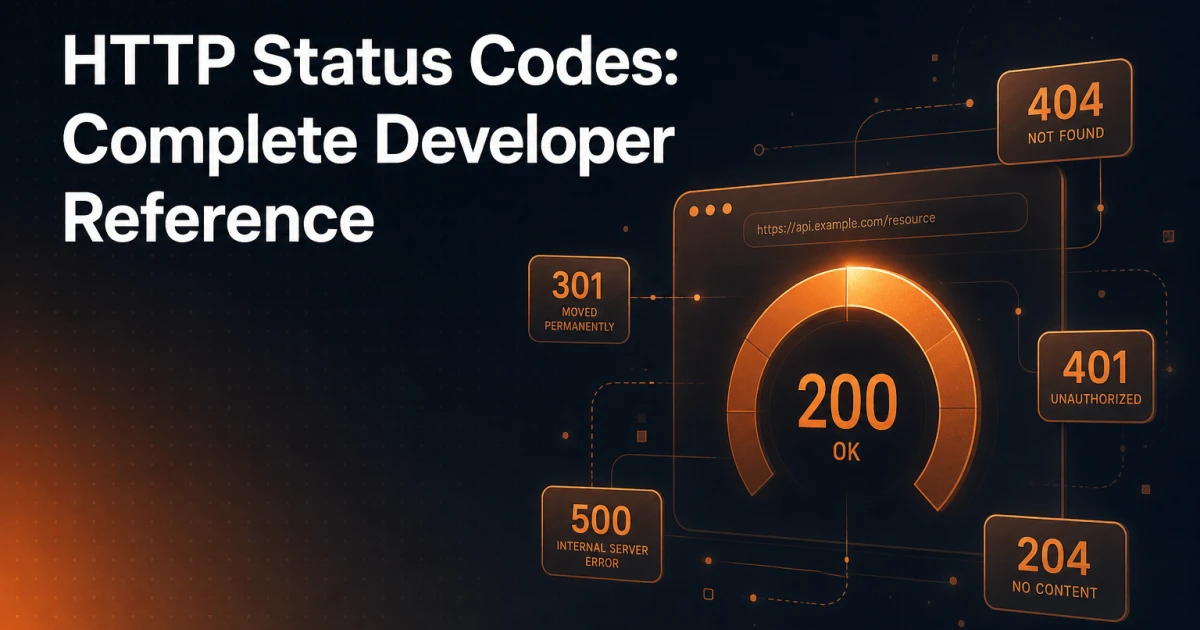
Every HTTP request your browser sends receives a three-digit response code before a single byte of content arrives. Most developers learn the obvious ones - 404 for not found, 500 for server error - and move on. That gap in knowledge costs real money: misused redirect codes bleed link equity, incorrect error responses confuse crawlers, and a poorly handled 503 during maintenance can trigger a re-crawl penalty. This reference covers the full picture, structured so you can read it top-to-bottom or jump straight to the code you need to debug right now.
Why Status Codes Matter Beyond the Browser
HTTP status codes serve two distinct audiences simultaneously: the browser rendering the page for a human, and the crawler indexing it for a search engine. A user hitting a 404 sees an error page and leaves. A crawler hitting the same 404 deindexes the URL. Those outcomes are not equivalent, and treating them as such leads to silent SEO damage that only surfaces weeks later in Search Console.
From a UX perspective, status codes determine what the browser does next - whether it follows a redirect automatically, displays cached content, prompts for credentials, or renders an error. From an SEO perspective, they signal whether a URL should be indexed, whether link equity should transfer, and how often the page should be recrawled. Understanding both dimensions is what separates developers who write working code from developers who write correct code.
The Five Classes at a Glance
The HTTP specification organizes codes into five classes by their leading digit. Each class carries a semantic contract that applies to every code within it.
1xx - Informational: The server has received the request and is continuing to process it. These are rarely encountered in web development directly, but
101 Switching Protocolsunderpins WebSocket connections, and103 Early Hintsis increasingly used by CDNs to push critical resources before the full response is ready.2xx - Success: The request was received, understood, and accepted. This class covers the full range of successful outcomes - from a page that rendered completely (200) to a resource that was created (201) to a request that succeeded but has nothing to return (204).
3xx - Redirection: Further action is needed to complete the request, typically following a redirect. The specific code determines whether the redirect is permanent or temporary, and whether the original HTTP method should be preserved.
4xx - Client Errors: The request contains bad syntax or cannot be fulfilled. The fault lies with the client - whether that means a missing resource, insufficient permissions, or a malformed request.
5xx - Server Errors: The server failed to fulfill an apparently valid request. The fault lies with the server, and these codes are the ones that demand immediate attention in production environments.
Deep Dive: The Codes That Actually Matter
200 OK
200 is the baseline success response. The request succeeded, and the response body contains the requested resource. For SEO, a 200 on a page tells crawlers it is canonical, indexable, and worth processing fully. The most common mistake with 200 is returning it on pages that should be errors - a "Page Not Found" template served with a 200 response is called a soft 404, and Google explicitly identifies and devalues these. If a resource does not exist, the server must say so with a real 4xx code.
201 Created
201 is the correct response when a POST request successfully creates a new resource. The response should include a Location header pointing to the newly created resource. This code is primarily relevant to REST API design rather than public-facing pages, but it matters for developers building WordPress REST endpoints or headless architectures where correct semantics affect client behavior.
204 No Content
204 signals success but explicitly indicates there is no response body. It is the correct response for actions like saving a preference, deleting a resource via a DELETE request, or any operation where the client does not need data back. Returning a 204 instead of an empty 200 is a semantic distinction that well-written API clients handle differently - some will skip response parsing entirely, which improves performance.
301 Moved Permanently
301 is the permanent redirect. It tells browsers and crawlers that the requested URL has moved to a new location indefinitely, and they should update their records accordingly. For SEO, a 301 transfers the majority of link equity (often called "link juice") from the old URL to the new one. Google has confirmed that 301 redirects pass PageRank, though there may be a small signal loss compared to a direct link. Use 301 for domain migrations, URL restructuring, HTTP-to-HTTPS transitions, and any permanent content move.
302 Found
302 is the temporary redirect - the URL has moved, but only for now. Browsers follow it automatically, but crawlers continue to index the original URL because the move is not permanent. This is the correct code for A/B testing, maintenance pages, or feature flags where the original URL retains its canonical status. The most common mistake is using 302 when 301 is intended, which prevents link equity transfer and keeps the old URL indexed unnecessarily.
307 Temporary Redirect
307 is the HTTP/1.1 clarification of 302. The critical difference: 307 explicitly requires that the HTTP method used in the original request must not change when following the redirect. If a POST request is redirected with a 302, many browsers historically reissued it as a GET. A 307 prevents that method switch. For API endpoints that use POST, PUT, or DELETE and need temporary redirection, 307 is the semantically correct choice.
308 Permanent Redirect
308 is to 301 what 307 is to 302 - a permanent redirect that preserves the HTTP method. It combines the "permanent, update your bookmarks" semantics of 301 with the "do not change the method" guarantee of 307. In REST API design, this is the correct code for permanently moving a POST endpoint. Browser support is now universal, and Google treats 308 equivalently to 301 for crawling and link equity purposes.
400 Bad Request
400 means the server could not understand the request due to malformed syntax, invalid framing, or deceptive routing. For public-facing pages this is rare, but for API endpoints it is the standard response to missing required parameters, invalid JSON payloads, or type mismatches. Returning a 400 instead of a 500 for validation failures is important - it correctly places the fault with the client and prevents unnecessary server error alerts.
401 Unauthorized
401 means authentication is required and has not been provided or has failed. Despite the name, it is technically about authentication, not authorization. The response must include a WWW-Authenticate header indicating the authentication scheme. Crawlers receiving a 401 will not index the content - which is the correct behavior for login-protected pages. The SEO implication: never return 401 for public content that should be indexed. Staging environments protected with HTTP basic auth return a 401 to Googlebot - the intended behavior during development, but a catastrophic outcome if that configuration ever leaks into production.
403 Forbidden
403 means the server understood the request but refuses to authorize it. Unlike 401, authentication would make no difference - the client simply does not have permission. For WordPress developers, 403 errors frequently appear when file permissions are misconfigured, when .htaccess rules block access, or when a security plugin blocks a request pattern. Googlebot receiving a 403 on a URL it previously indexed will eventually deindex it, treating it similarly to a soft 404.
404 Not Found
404 is the standard response when a resource does not exist. It tells crawlers to remove the URL from the index (after sufficient confirmation). For SEO, a clean 404 is preferable to a redirect to an unrelated page - sending users and crawlers to the homepage from a broken URL dilutes the homepage's topical relevance and frustrates users. Monitor 404s in Google Search Console regularly; a spike often indicates a site restructuring that broke internal links or external backlinks pointing to renamed URLs.
410 Gone
410 is the permanent 404. It explicitly tells crawlers that the resource is intentionally removed and will not return. Google deindexes 410 URLs faster than 404s, making it the correct choice when you deliberately delete content - discontinued products, removed blog posts, or retired landing pages. If you want a URL out of the index quickly, return 410 rather than 404. The practical difference is speed: crawlers treat 410 as a definitive signal rather than a potentially temporary absence.
500 Internal Server Error
500 is the generic server-side failure. Something went wrong, but the server is not being more specific. In WordPress, 500 errors are commonly caused by PHP fatal errors, memory limit exhaustion, or plugin conflicts. When Googlebot encounters repeated 500 errors, it reduces crawl frequency for the site - a crawl budget penalty that compounds over time. Any 500 in production warrants immediate investigation via server error logs.
502 Bad Gateway
502 occurs when a server acting as a gateway or proxy receives an invalid response from an upstream server. In WordPress hosting contexts, this typically means the PHP-FPM process is not responding, the database connection is timing out, or a reverse proxy (like Nginx in front of Apache) cannot reach the application server. A 502 under load usually points to resource exhaustion rather than a code error.
503 Service Unavailable
503 means the server is temporarily unable to handle requests - due to maintenance or overload. Critically, a proper 503 response should include a Retry-After header indicating when the server expects to be available again. Google respects this header and will retry rather than deindex. For WordPress maintenance mode, returning a genuine 503 with a Retry-After header is far preferable to taking the site offline without it. Plugins that serve a maintenance page with a 200 status are actively harmful to SEO during extended downtime.
SEO Implications: A Quick Reference
| Code | Indexing Behavior | Link Equity | Key SEO Consideration |
|---|---|---|---|
| 200 | Indexed normally | Retained | Avoid soft 404s (missing content served as 200) |
| 301 | Old URL deindexed; new URL indexed | Transferred | Use for all permanent moves |
| 302 | Original URL retained in index | Not transferred | Use only for genuinely temporary redirects |
| 404 | Eventually deindexed | Lost | Monitor and redirect high-value broken URLs |
| 410 | Deindexed faster than 404 | Lost | Use for intentional content removal |
| 500 | Crawl frequency reduced | At risk | Fix immediately; repeated 500s damage crawl budget |
| 503 | Preserved if Retry-After is set | Preserved | Always include Retry-After during maintenance |
Debugging Unexpected Status Codes in WordPress
WordPress introduces several layers between a raw HTTP request and the final response, each capable of producing unexpected status codes. Knowing where to look cuts debugging time significantly.
Enable WP_DEBUG and Check Logs
For 500 errors, the first step is enabling debug logging. Add the following to wp-config.php:
define( 'WP_DEBUG', true );
define( 'WP_DEBUG_LOG', true );
define( 'WP_DEBUG_DISPLAY', false );
This writes PHP errors to wp-content/debug.log without exposing them to the browser. Fatal errors causing 500 responses will appear here with a file path and line number. For 502 errors, check the web server's error log directly - the PHP-FPM or FastCGI process log will contain the upstream failure reason.
Isolate Plugin and Theme Conflicts
A large proportion of unexpected WordPress status codes originate in plugins. Deactivate all plugins and switch to a default theme (Twenty Twenty-Four) to establish a baseline. If the status code resolves, reactivate plugins one at a time. Security plugins are frequent sources of unexpected 403 responses, particularly when they implement IP blocking, rate limiting, or user-agent filtering that inadvertently catches legitimate requests or Googlebot.
Audit Your .htaccess File
On Apache-based hosts, the .htaccess file is the most common source of incorrect redirect chains and unexpected 403 errors. WordPress rewrite rules, combined with custom redirect rules from plugins or manual edits, can produce redirect loops (which browsers report as ERR_TOO_MANY_REDIRECTS) or block access to specific file types. Regenerate a clean .htaccess from Settings > Permalinks in WordPress admin to rule out corruption. For more advanced rewrite rule generation, the .htaccess Generator can produce clean, tested rule sets.
When you suspect the file itself, start by replacing it with this minimal WordPress default:
# BEGIN WordPress
<IfModule mod_rewrite.c>
RewriteEngine On
RewriteBase /
RewriteRule ^index\.php$ - [L]
RewriteCond %{REQUEST_FILENAME} !-f
RewriteCond %{REQUEST_FILENAME} !-d
RewriteRule . /index.php [L]
</IfModule>
# END WordPress
If the problem disappears, layer your custom rules back in gradually until you find the one responsible.
Check Server Resource Limits
502 and 503 errors under load almost always indicate resource exhaustion. Check PHP memory limits (memory_limit in php.ini), max execution time (max_execution_time), and PHP-FPM pool worker counts. A WordPress site hitting its PHP memory limit will produce a white screen with a 500 response. Temporarily increasing memory_limit in wp-config.php via define('WP_MEMORY_LIMIT', '256M'); is a quick diagnostic step, though the underlying cause - usually an inefficient plugin or unoptimized query - still needs addressing.
Use Browser DevTools and Curl
Browser DevTools (Network tab) shows the actual status code returned for every request, including redirects in the chain. For server-side verification that bypasses any browser caching, curl -I -L https://example.com/path returns only the response headers, including the status code, Location header for redirects, and Cache-Control directives. This is particularly useful for verifying that a 301 is being sent correctly after a URL migration, or confirming that a maintenance page is genuinely returning 503 rather than 200. The -I flag fetches only the response headers instead of the full body, so you see the status code without downloading the entire page, while the -L flag follows redirects so the whole chain is visible rather than just the first hop. That combination is exactly what you want when verifying that a 301 lands on the right destination after a migration.
For a broader audit of how your site's URLs are responding - including redirect chains, missing canonical tags, and pages returning unexpected codes - the SEO Analyzer surfaces these issues alongside full technical SEO diagnostics in a single pass. Pairing that with the Sitemap Validator helps confirm that all URLs declared in your sitemap are actually returning 200 responses rather than redirects or errors.
Use Google Search Console for Crawl-Level Data
The Coverage and URL Inspection reports in Google Search Console show which status codes Googlebot actually receives, which is not always what a browser sees. A URL can return 200 in the browser yet surface crawl errors in GSC - either intermittent 5xx responses under load, or a CDN that has cached a different state than the live server is currently serving. Cross-referencing GSC data against your server logs gives the most accurate picture of what crawlers really encounter. The SEO Analyzer can help expose that kind of discrepancy before it grows into a ranking problem.
Redirect Chains and Their Hidden Cost
A redirect chain occurs when URL A redirects to URL B, which redirects to URL C. Each hop adds latency for users and forces crawlers to spend additional crawl budget following the chain. Google will generally follow chains up to five hops, but link equity degrades with each step. The fix is straightforward: update all redirects to point directly to the final destination URL, collapsing the chain into a single redirect. After any URL migration, audit your redirect map for chains using curl -L -I or a crawl tool, and update internal links to point directly to the canonical destination rather than relying on redirects.
HTTP status codes are one of the most information-dense layers of web infrastructure - three digits that encode intent, ownership of failure, permanence, and crawler instructions simultaneously. Getting them right is not pedantry; it is the difference between a site that communicates clearly with both users and search engines and one that silently bleeds traffic through misconfigured redirects, soft 404s, and crawl budget waste. For developers working in WordPress, where plugins and server configurations interact in complex ways, a solid understanding of what each code means - and where to look when the wrong one appears - is a foundational debugging skill.