Google confirmed years ago that meta descriptions are not a ranking factor. They do not move a page up or down in search results. And yet, a poorly written meta description is one of the most expensive mistakes an SEO can make - because it determines whether anyone clicks on the page at all.
The meta description is your 160-character pitch to a searcher who has already seen your title. They know the topic. Now they are deciding whether your page is worth their time. A vague, passive, or stuffed description hands that click to a competitor. A sharp, specific, benefit-led description earns it. This guide covers exactly how to write the latter, with 15 real examples annotated for what makes each one work.
What a Meta Description Actually Does
The <meta name="description"> tag lives in the <head> of a page and provides a short summary that search engines may display beneath the page title in results. The word "may" matters - Google rewrites meta descriptions roughly 63% of the time, pulling text from the page body instead. That number climbs when the original description is too short, too vague, or mismatched to the query.
Even accounting for rewrites, writing strong meta descriptions is worth the effort for two reasons. First, when Google does use your description, it controls the narrative in the SERP. Second, writing a compelling description forces clarity about what the page actually delivers - which tends to improve the page itself.
The mechanism of influence is click-through rate. A higher CTR means more organic traffic from the same ranking position. Pages with well-crafted descriptions consistently outperform equivalent pages with auto-generated or neglected ones, particularly in competitive niches where several results occupy similar positions.
The Optimal Length and Why It Matters
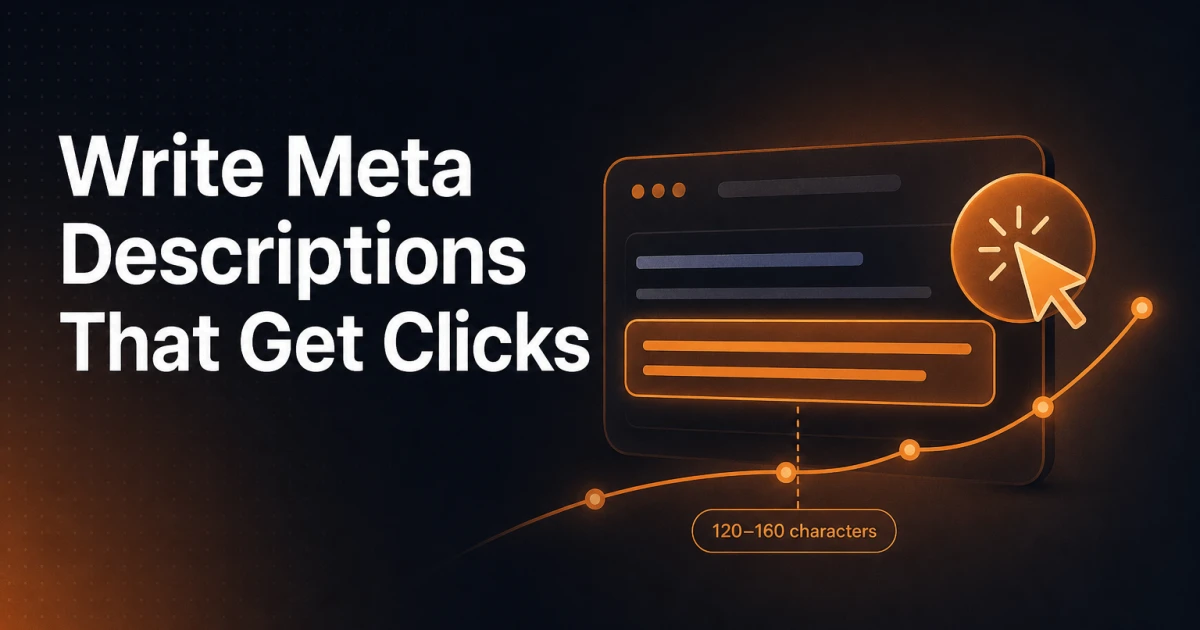
Google truncates meta descriptions at approximately 920 pixels of rendered width on desktop, which translates to roughly 155-160 characters for standard Latin text. On mobile, the cutoff is tighter - around 120 characters. The practical target is 120-155 characters: long enough to communicate a full benefit, short enough to avoid truncation on any device.
Descriptions shorter than 100 characters leave value on the table. Descriptions over 160 characters get cut mid-sentence, which can turn a persuasive statement into a confusing fragment. Character count is not a rigid rule, but it is the constraint that shapes how you write.
You can preview exactly how your meta description will render across devices using the Meta Tag Generator - a free browser tool that shows live character counts and SERP previews as you type.
The Anatomy of a High-Performing Meta Description
Three elements separate descriptions that earn clicks from those that do not.
A clear, specific benefit. The description should answer "what do I get from this page?" with precision. "Learn about SEO" is not a benefit. "Cut your crawl budget waste by auditing these five technical SEO signals" is. Specificity creates credibility and filters for the right audience - someone who wants exactly what you offer will click; someone who does not will not, and that is fine.
A relevant keyword - used naturally. Including the target keyword in the description is not about ranking. It is about relevance signaling to the reader. Google bolds query-matching terms in the snippet, which draws the eye. Place the keyword where it reads naturally, not forced into the opening word regardless of grammar.
A call to action that implies motion. "Discover," "Learn," "See," "Get," "Compare" - these verbs create forward momentum. They tell the reader what to do next without being aggressive. Passive constructions like "information can be found here" have the opposite effect: they suggest the page is static rather than useful.
15 Annotated Meta Description Examples
The examples below cover the most common content types an SEO or content team will encounter. Each is followed by a brief note on the technique at work.
How-To Guides
Example 1 - General how-to:
"Fix WordPress 404 errors in under 10 minutes. A step-by-step guide covering permalink resets, .htaccess rules, and plugin conflicts - no server access needed."
Why it works: The time promise ("10 minutes") sets a concrete expectation. The parenthetical qualifier ("no server access needed") removes a common objection before the reader even clicks.
Example 2 - Technical tutorial:
"Learn how to implement JSON-LD schema markup for FAQs without touching your theme files. Includes copy-paste code and a Google Rich Results Test walkthrough."
Why it works: Two distinct deliverables are named - code and a testing walkthrough. Readers know exactly what they are getting, which reduces bounce risk.
Example 3 - Beginner-oriented guide:
"New to CSS Grid? This visual guide explains rows, columns, and placement with editable examples - no prior layout experience required."
Why it works: The audience qualifier ("New to CSS Grid?") opens with a question that mirrors the searcher's self-identification. "Visual" and "editable" signal a learning format that goes beyond a wall of text.
Example 4 - Process guide:
"Migrate WordPress to a new host without downtime. Covers database export, file transfer, DNS propagation timing, and how to test before going live."
Why it works: The list of subtopics acts as a table of contents in miniature. Readers scanning for a specific pain point - DNS propagation, for instance - see it named and click with confidence.
Product Pages
Example 5 - Plugin product page:
"Add AI-driven schema markup and technical SEO controls to WordPress without bloating your database. Signocore SEO - built for developers who ship clean code."
Why it works: The negative benefit ("without bloating your database") speaks directly to a known pain point. The audience qualifier at the end ("developers who ship clean code") filters for the exact buyer persona.
Example 6 - SaaS tool page:
"Analyze any website's on-page SEO, Core Web Vitals, schema, and accessibility in seconds. Free, no account required - just enter a URL and go."
Why it works: The friction removers ("free," "no account required") are the most persuasive words on the page. They appear at the end where the eye lingers after reading the benefit.
Example 7 - E-commerce product:
"Mechanical keyboard with 87 keys, hot-swap sockets, and per-key RGB. Ships in 24 hours. Read 1,400+ verified reviews before you decide."
Why it works: Specifications replace adjectives. "Hot-swap sockets" is more persuasive than "customizable." The review count adds social proof without requiring the reader to trust the brand's own claims.
Listicles
Example 8 - Tools roundup:
"12 free developer tools that replace paid subscriptions - tested and ranked by a working web developer. Covers SEO, CSS, JSON, and image utilities."
Why it works: "Tested and ranked by a working web developer" establishes author credibility without a name or credential. The category list (SEO, CSS, JSON, image) helps scanners self-select.
Example 9 - SEO tips list:
"15 on-page SEO fixes you can make today without a developer. Each one takes under 5 minutes and directly affects how Google reads your content."
Why it works: "Without a developer" removes a key objection for content managers. The effort estimate ("under 5 minutes") makes the list feel achievable rather than overwhelming.
Example 10 - Comparison list:
"Yoast vs. Rank Math vs. Signocore SEO: a feature-by-feature breakdown of schema support, AI tools, and pricing. Updated for 2025."
Why it works: Naming the competitors signals that the article takes a real position rather than hedging. "Updated for 2025" addresses the recency concern that makes readers distrust comparison articles.
Landing Pages
Example 11 - Free tool landing page:
"Generate a complete robots.txt file for any WordPress setup in 30 seconds. Block the right paths, protect crawl budget, and download instantly - free."
Why it works: The three micro-benefits ("block the right paths," "protect crawl budget," "download instantly") are stacked in a rhythm that builds momentum toward the CTA word "free."
Example 12 - Agency service page:
"Technical SEO audits for WordPress sites with 500+ pages. We identify crawl waste, schema gaps, and Core Web Vitals issues - with a fix priority list, not just a report."
Why it works: The size qualifier ("500+ pages") pre-qualifies the lead. The final contrast ("fix priority list, not just a report") directly names a frustration the audience knows and promises something better.
Example 13 - Lead generation page:
"Download the WordPress SEO checklist used by 3,000+ agency teams. 47 items across technical, on-page, and schema - PDF, no email required."
Why it works: Social proof (3,000+ teams), specificity (47 items), and friction removal (no email required) are stacked in three short clauses. Each one answers a different objection.
Blog and Editorial Content
Example 14 - Opinion or analysis piece:
"Structured data is not optional for modern SEO - it is the layer that makes content machine-readable. Here is why schema markup changes how Google interprets your pages."
Why it works: The assertive opening takes a position, which signals to the reader that the article will argue a case rather than hedge. Readers seeking confirmation or challenge of that view both click.
Example 15 - Evergreen explainer:
"Core Web Vitals measure real user experience, not lab scores. Learn what LCP, INP, and CLS actually mean for your WordPress site and how to improve each one."
Why it works: The distinction ("real user experience, not lab scores") surfaces a nuance that signals depth. Naming the three metrics (LCP, INP, CLS) tells technically literate readers the article matches their level.
Common Mistakes That Kill Click-Through Rate
Duplicate descriptions across multiple pages. Using the same meta description on ten category pages or product variants tells both Google and the reader nothing specific about any individual page. Google will rewrite them. More damaging, if a reader sees the same snippet twice in one results page, trust evaporates. Every page that competes for clicks deserves a unique description.
Keyword stuffing. Cramming three variations of a target phrase into 155 characters produces unreadable text. "Best SEO plugin WordPress SEO plugin free SEO plugin" is not a description - it is a signal that the page is optimized for a crawler that stopped caring about keyword density in 2012. Readers see it and move on.
Passive voice and vague language. "Information about WordPress plugins can be found on this page" communicates almost nothing. Who is it for? What will they learn? What action does the page support? Passive constructions obscure answers to all three questions. Active verbs with a named subject - "Compare five WordPress SEO plugins by schema support and pricing" - are more direct and more persuasive.
Describing the page rather than the value. "This article covers the topic of meta descriptions and how to write them" is a description of the content, not a reason to read it. The distinction matters: readers do not click for content, they click for outcomes. Frame the description around what the reader will know, be able to do, or avoid after reading.
Writing and Managing Meta Descriptions at Scale
For a site with dozens of pages, manual meta description writing is manageable. For a site with hundreds - or a content team publishing several posts a week - the process requires a system. The most common failure mode is not bad descriptions, it is missing ones: pages left with no description at all, forcing Google to generate something generic from the first paragraph.
The Signocore SEO plugin addresses this at the editorial level. Each post and page gets a dedicated meta description field with a live character counter, and the plugin flags posts that are missing descriptions or exceeding the recommended length in the admin dashboard. For teams using AI-assisted content workflows, the plugin's AI tools can generate description drafts based on the page content - drafts that editors can refine rather than write from scratch, which significantly reduces the time cost of maintaining descriptions at scale.
For auditing existing descriptions across a site - finding duplicates, identifying pages where Google is overriding your description, or spotting truncation issues - the SEO Analyzer surfaces these signals as part of its on-page audit. Paste in a URL and the tool reports on meta description presence, length, and keyword alignment alongside the broader on-page and technical picture.
If you are building descriptions for a new page and want to preview how the snippet will render before publishing, the Meta Tag Generator gives you a live SERP preview alongside the full meta tag output - useful for catching truncation before it reaches a live results page.
The Standard Worth Holding
Meta descriptions occupy a peculiar position in SEO: low on the list of ranking factors, high on the list of factors that determine whether rankings translate into traffic. A page sitting in position four with a sharp, specific description will often outperform a page in position two with a vague or auto-generated one. That gap compounds across a site with hundreds of pages.
The standard to hold is simple: every description should tell a specific reader exactly what they will get and give them a clear reason to click. Anything less is a missed opportunity at the exact moment a searcher is making a decision. Write descriptions as if the ranking is already there - because for the pages that matter most, it probably is.