Regex is one of those skills that feels fluent when you're deep in it and completely foreign six months later. You remember that it works, you remember it's powerful, and you remember absolutely nothing about the syntax. This guide is built for that moment - a reference you can return to, work through, and bookmark for the next time you need to validate a phone number at 11pm.
The Mental Model: Patterns, Not Strings
The single most important shift in understanding regex is this: you are not searching for a string, you are describing a shape. A regex pattern is a declarative description of what a valid input looks like - how many characters, what type, in what order, with what boundaries.
When you write /hello/, you're describing a shape that happens to be a fixed string. But when you write /\d{3}-\d{4}/, you're describing a shape - three digits, a hyphen, four digits - without caring what those digits actually are. This distinction matters because it changes how you think about building patterns. You're not trying to enumerate possibilities; you're defining constraints.
Every regex engine evaluates a pattern against a string by moving through the input character by character, attempting to match the described shape at each position. If the engine finds a match, it reports the position and the matched text. This sequential, position-by-position evaluation is also why certain patterns can cause serious performance problems - more on that later.
Core Syntax Reference
Character Classes
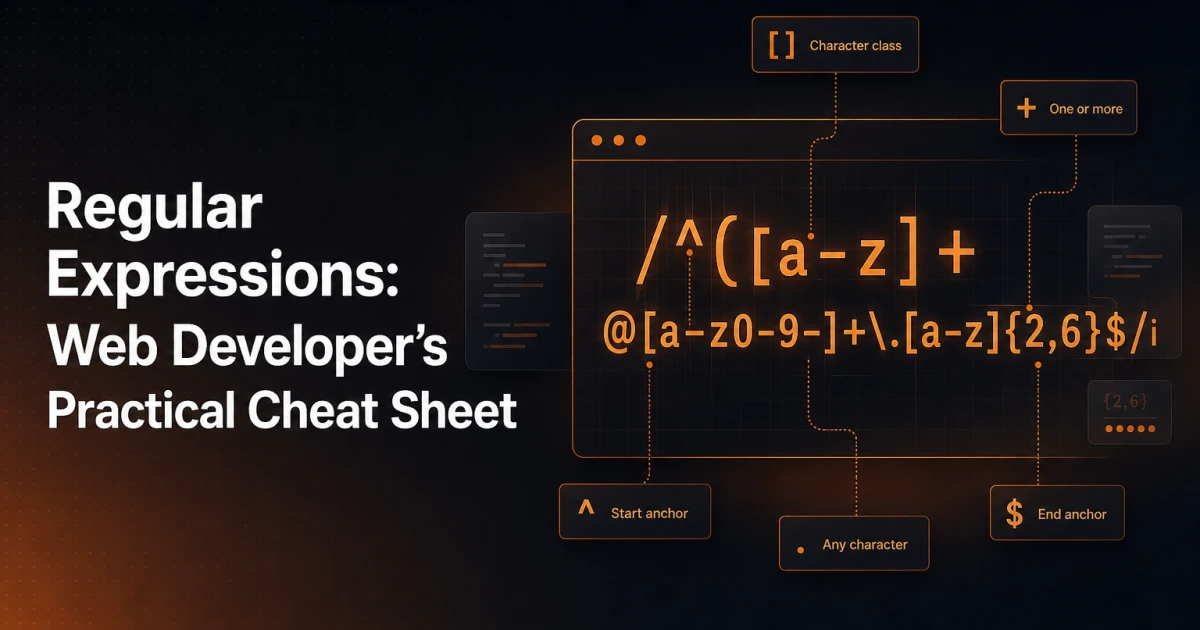
Character classes define which characters are acceptable at a given position in the pattern.
[abc]- matches any single character that is a, b, or c. Useful when you have a small, known set of valid characters.[a-z]- matches any lowercase letter. Ranges work for letters and digits:[0-9],[A-Z].[^abc]- the caret inside a class negates it, matching anything that is not a, b, or c.\d- shorthand for[0-9](digit). Its inverse\Dmatches any non-digit.\w- shorthand for[a-zA-Z0-9_](word character). Its inverse\Wmatches anything outside that set.\s- matches any whitespace character: space, tab, newline. Its inverse\Smatches non-whitespace..- matches any character except a newline. This is one of the most misused tokens in regex - it's far broader than most developers intend.
Quantifiers
Quantifiers control how many times the preceding element must appear.
*- zero or more times+- one or more times?- zero or one time (makes the element optional){n}- exactly n times{n,}- at least n times{n,m}- between n and m times, inclusive
By default, quantifiers are greedy - they match as much as possible. Adding a ? after a quantifier makes it lazy, matching as little as possible. For example, <.+> applied to <b>text</b> matches the entire string. <.+?> matches only <b>.
Anchors
Anchors don't match characters - they match positions within the string.
^- asserts the start of the string (or start of a line in multiline mode)$- asserts the end of the string (or end of a line in multiline mode)\b- a word boundary: the position between a word character and a non-word character\B- a non-word boundary
Anchoring is critical for validation. Without ^ and $, a pattern like /\d+/ will match any string containing at least one digit - including strings with other characters before or after. For strict validation, always anchor.
Groups and Alternation
Parentheses create a capturing group, which serves two purposes: grouping tokens for quantifiers, and capturing the matched text for later use. (?:...) creates a non-capturing group - useful for grouping without the overhead of capturing.
The pipe character | acts as alternation - it matches either the expression on its left or the one on its right. /cat|dog/ matches either "cat" or "dog". When combined with groups, /(cat|dog)s?/ matches "cat", "cats", "dog", or "dogs".
Patterns Developers Actually Use
Email Validation
/^[a-zA-Z0-9._%+\-]+@[a-zA-Z0-9.\-]+\.[a-zA-Z]{2,}$/This covers the vast majority of real-world email addresses. It requires at least one valid local-part character, an @ symbol, a domain, and a TLD of at least two characters. Full RFC 5321 compliance is significantly more complex and rarely worth implementing in application validation - this pattern handles what you actually encounter.
URL Matching
/https?:\/\/[^\s/$.?#].[^\s]*/iThis matches HTTP and HTTPS URLs. The s? makes the s optional, \/\/ escapes the forward slashes, and the rest allows for any non-whitespace characters in the path. For stricter URL validation - including checking for valid TLDs - the pattern grows considerably longer.
Phone Numbers
/^\+?[\d\s\-().]{7,15}$/Phone number formats vary enormously by country, so this pattern intentionally allows a range of separators and an optional leading +. The length constraint of 7-15 digits follows the ITU-T E.164 standard. If you need to capture a specific national format, narrow the pattern accordingly.
Removing Extra Whitespace
/\s+/gUsed with a replace operation, this collapses any run of whitespace - spaces, tabs, newlines - into a single space. Apply it after trimming the string for clean normalization. In PHP: preg_replace('/\s+/', ' ', trim($string)).
Extracting Numbers
/\d+(?:\.\d+)?/gThis matches integers and decimal numbers. The non-capturing group (?:\.\d+)? makes the decimal portion optional. Applied globally, it extracts all numbers from a string - useful for parsing price data, dimensions from user input, or numeric values from log files.
Slug Formatting
/[^a-z0-9\-]/gUsed in a replace operation (replacing matches with an empty string or a hyphen), this strips anything that isn't a lowercase letter, digit, or hyphen - producing a clean URL slug. The full slug generation sequence is: lowercase the string, replace spaces with hyphens, apply this pattern to remove remaining invalid characters, then collapse multiple consecutive hyphens with /\-+/g.
Regex in PHP
PHP uses the PCRE (Perl Compatible Regular Expressions) library, accessed through the preg_* family of functions. Patterns are passed as strings with delimiters - typically forward slashes, though any non-alphanumeric non-backslash character works.
preg_match
// Returns 1 if match found, 0 if not, false on error
$email = 'user@example.com';
if (preg_match('/^[a-zA-Z0-9._%+\-]+@[a-zA-Z0-9.\-]+\.[a-zA-Z]{2,}$/', $email)) {
    echo 'Valid email';
}

// Capture groups are stored in the third argument
preg_match('/(\d{4})-(\d{2})-(\d{2})/', '2025-06-15', $matches);
// $matches[0] = '2025-06-15', $matches[1] = '2025', etc.
preg_replace
// Replace all runs of whitespace with a single space
$clean = preg_replace('/\s+/', ' ', trim($input));

// Generate a URL slug from a title
$slug = strtolower($title);
$slug = preg_replace('/[^a-z0-9\s\-]/', '', $slug);
$slug = preg_replace('/[\s\-]+/', '-', $slug);
$slug = trim($slug, '-');
preg_split
// Split on any whitespace or comma
$parts = preg_split('/[\s,]+/', 'one, two,  three four');
// Result: ['one', 'two', 'three', 'four']
One important note for WordPress developers: when using regex inside plugin code, make sure your patterns don't conflict with content filtering hooks. The preg_replace_callback function is often preferable over preg_replace when the replacement logic is complex, since it accepts a callable rather than a replacement string.
Regex in JavaScript
JavaScript supports regex literals (enclosed in forward slashes) and the RegExp constructor. Literals are preferred for static patterns; the constructor is necessary when building patterns dynamically from strings.
// Literal syntax
const pattern = /^\d{5}(-\d{4})?$/;

// Constructor - useful when the pattern includes variables
const term = 'hello';
const dynamic = new RegExp('\\b' + term + '\\b', 'gi');
Common Flags
g- global: find all matches, not just the firsti- case-insensitive matchingm- multiline:^and$match line boundaries, not just string boundariess- dotAll: makes.match newlines as well
String Methods
// test() - boolean check
/^\d+$/.test('12345');  // true

// match() - returns matches array (or null)
'Price: $19.99'.match(/\d+(?:\.\d+)?/g);  // ['19.99']

// replace() / replaceAll()
'  too   many   spaces  '.replace(/\s+/g, ' ').trim();  // 'too many spaces'

// split()
'one,two,,three'.split(/,+/);  // ['one', 'two', 'three']
The matchAll() method, available in modern environments, returns an iterator of all match objects including capture groups - significantly more useful than match() with the g flag when you need group data from multiple matches.
Common Mistakes Worth Avoiding
Catastrophic Backtracking
Certain pattern structures cause the regex engine to explore an exponentially large number of possible match paths when the input fails to match. The classic example is nested quantifiers on overlapping character classes: /(a+)+b/ applied to a long string of a characters with no b. The engine tries every possible way to partition the a characters between the inner and outer groups before concluding there's no match. On strings of even moderate length, this can hang a process entirely. The fix is to avoid ambiguous grouping and use atomic groups or possessive quantifiers where the engine supports them.
Forgetting to Escape Special Characters
The characters . * + ? ^ $ { } [ ] | ( ) \ all have special meaning in regex. When you want to match them literally, escape with a backslash. A common mistake is writing a pattern to match a file extension like /.php$/ when the intent is /\.php$/ - without the escape, the dot matches any character, making the pattern far more permissive than intended.
Greedy Quantifiers Matching Too Much
The pattern /<.+>/ against the string <div>content</div> returns the entire string, not just the first tag. The greedy .+ consumes everything up to the last > in the string. Using the lazy variant /<.+?>/ or a negated character class /<[^>]+>/ (preferred for performance) solves the problem. The negated class is generally the better choice - it's explicit about what's allowed and avoids backtracking entirely.
Missing the Global Flag in JavaScript
Without the g flag, String.replace() replaces only the first match. This is an easy source of bugs when normalizing input. If you're replacing patterns across an entire string, the g flag is almost always required.
Testing Patterns Before Deploying Them
Writing a regex pattern and deploying it without testing it against edge cases is a reliable way to introduce bugs. The failure modes are subtle - a pattern can be too permissive (accepting invalid input), too restrictive (rejecting valid input), or catastrophically slow on certain inputs.
The Signocore Regex Tester runs entirely in the browser with no server round-trips, making it fast for iterative testing. You can paste a pattern, supply test strings, and immediately see which strings match and what groups are captured. It's part of the broader developer tools collection - 40+ utilities that cover everything from JSON formatting to cron expression building, all accessible without an account.
For complex patterns, test against both valid examples and deliberate edge cases: empty strings, strings with only special characters, very long strings, and inputs that are almost-but-not-quite valid. That last category - inputs that fail by one character - is where most regex bugs hide.
Regex fluency is less about memorizing syntax and more about understanding the underlying mechanics - what the engine is doing, where it can go wrong, and how to constrain patterns precisely enough to match intent without over-reaching. Keep this reference close, test your patterns against real data, and the syntax will start to feel less foreign every time you return to it.