Google has for years used Core Web Vitals (CWV) to assess how well websites perform in terms of user experience (UX). Interaction to Next Paint (INP) is the Core Web Vital that measures responsiveness - how quickly a page reacts to a user's input. A good INP score improves user satisfaction and your ranking in search results.
This post covers what INP is, how it affects user experience and SEO, and the practical steps you can take to improve your website's INP score.
What is Interaction to Next Paint (INP)?
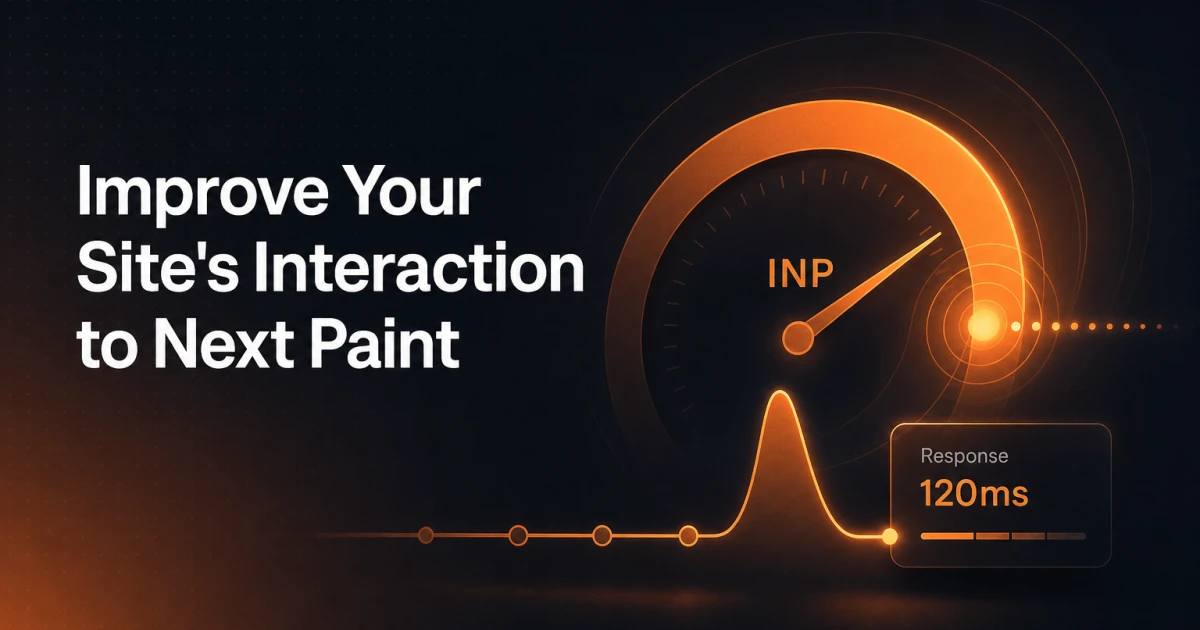
Interaction to Next Paint (INP) is the Core Web Vital that measures a website's responsiveness. It records the time from a user's interaction (a click, tap, or key press) to the next visual update on the screen. INP captures the full sequence in three phases: the input delay before processing begins, the processing time spent running the event handlers, and the presentation delay before the browser paints the result. Because it accounts for all three phases, INP reflects how quickly a page actually responds when users interact with it.
INP replaced First Input Delay (FID) in March 2024. FID has since been retired: support ended in September 2024, and Chrome no longer reports it in PageSpeed Insights or CrUX. FID measured only the first interaction, and only the input delay phase - it ignored both the event handler execution and the time taken to paint the result on screen. A page could pass FID and still feel sluggish, which is why INP took its place as the responsiveness metric.
What is a good INP score?
Google groups INP results into three bands. The score is taken at the 75th percentile of page views, so three out of four visits need to fall below a threshold for a page to reach that band.
Rating | INP at 75th percentile |
|---|---|
Good | 200 ms or below |
Needs improvement | 201-500 ms |
Poor | Over 500 ms |
Why is INP important for measuring responsiveness?
Responsiveness matters throughout a session, not just at the first interaction. A page can load quickly and still feel slow if it takes too long to react to clicks and taps once a user starts working with it. Because INP looks at interactions across the whole visit, it reflects the experience people actually have when they use a site, and it points to the interactions that need attention.
A poor INP score can lead to frustration, especially on mobile devices, where users expect quick reactions. Buttons that are slow to respond or dropdown menus that lag behind a tap degrade the user experience and increase the bounce rate. INP covers these input interactions - clicks, taps, and key presses - rather than scrolling, which the browser handles off the main thread and does not count toward the metric.
How to improve your INP score
To improve your INP score, you should focus on optimizing how your website responds to user input. Here are some practical strategies to improve responsiveness on your site.
Reduce JavaScript execution time
JavaScript is often the main cause of delayed interactivity. Heavy scripts can block the browser from updating content in real time. By deferring non-critical JavaScript or breaking large tasks into smaller, asynchronous operations, you can significantly reduce the time it takes for the browser to respond to user input.
Optimize Event Handlers
Ensure that your event handlers (the code that reacts to user actions like clicking a button) are optimized and lightweight. Large event handlers can hinder responsiveness. By offloading some handling to web workers or optimizing the functions within the handler, you can minimize delays.
Implement Lazy Loading
Lazy loading of assets such as images and videos can free up resources, allowing your site to prioritize interactive elements first. By only loading assets when needed (e.g., when the user scrolls), the page can maintain a more responsive user experience.
Use faster hosting and CDNs
The infrastructure behind your site plays a significant role in responsiveness. Hosting your site on a reliable, fast server and using a content delivery network (CDN) can minimize the time it takes to load and interact with content.
Use browser caching
By caching previously loaded assets in the browser cache, returning users can experience faster response times. This reduces the need to fetch resources again and ensures faster visual updates after interactions.
Why INP is important for SEO and user experience
Google's algorithm prioritizes websites that offer excellent user experiences, and the site's responsiveness is a big part of that. A low INP score can directly affect your ranking in search results, as Google continues to place importance on Core Web Vitals as a ranking factor.
Improved ranking in search results
Websites that perform well in Core Web Vitals, including INP, are more likely to rank higher on search results pages. Google's focus is on delivering the best possible experience to users, meaning that responsive pages with fast interactions gain greater visibility.
Better user retention
When your site responds quickly, users are more likely to stay engaged, explore more pages, and complete conversions. Frustrating delays, on the other hand, lead to higher bounce rates and lost engagement opportunities.
Improved mobile performance
With most web traffic coming from mobile devices, a good INP score is key to keeping a mobile site responsive. Mobile users expect fast interactions, which makes INP an important metric on these platforms.
Improving your site's performance with Signocore SEO
For businesses using WordPress, tools like Signocore SEO offer excellent solutions to ensure your site is not only optimized for Core Web Vitals but also fully equipped for technical SEO and performance.
Signocore SEO plugin
Signocore SEO focuses on key SEO elements such as metadata, structured data, and IndexNow, so your site is crawled and indexed efficiently by search engines without burdening your site with unnecessary features that could slow it down.
By using Signocore SEO you can:
Optimize your metadata and structured data for better search engine understanding and ranking.
Ensure fast and accurate indexing with IndexNow, which reduces the delay between content updates and search engine crawling.
Avoid performance bloat by keeping the plugin lightweight and focused on the essential SEO tasks.
Read more about Signocore SEO here.
Closing thoughts
Responsiveness is part of how Google judges a page, and Interaction to Next Paint (INP) is the metric that captures it. By looking at the full interactive experience rather than just initial load times, INP reflects how a site feels once users start working with it, which affects both SEO rankings and customer satisfaction.
You can improve your INP score by reducing JavaScript execution time, lazy loading assets, and using faster infrastructure. Tools like Signocore SEO help keep a WordPress site technically sound and fast, so it stays responsive for users and competitive in search results.